

OneMove Limiter user manual
OneMove Limiter is a free AUv3 bus limiter for iPad and iPhone. Put it last on a synth, drum or band bus, or on a stereo mix, and it stops the peaks from passing a ceiling you choose. Its screen shows what it caught, and how much. Found a bug or have an idea? Tell us.
Getting started
- Install OneMove Limiter from the App Store and open the app once.
- In your AUv3 host, add an audio effect as the last effect on a bus or track and choose OneMove › Limiter.
- It opens on Bus Safe: it only stops clipping. Leave Ceiling at −1 dB and raise Drive for more level; the screen shows each peak it catches.
To hear it first without a host, tap Play in the app (see Try it in the app).
The controls
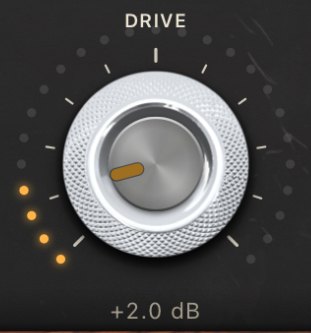
Drive · 0 to 18 dB (0 dB)
The big knob, the one move. Pushes the signal into the limiter, so more of it is caught and the bus gets louder. The amber dots light as it turns.
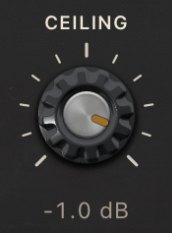
Ceiling · −12 to 0 dB (−1 dB)
The level nothing passes.
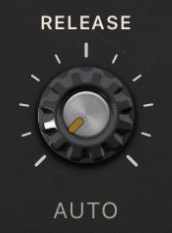
Release · Auto, or 5 to 1000 ms (Auto)
How fast the gain comes back after a peak. Turn it fully down for AUTO.
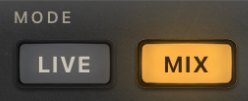
Mode · Live / Mix (Live)
Live has no latency, for playing and singing through a bus. Mix looks ahead and holds the true peak under the ceiling, for mixing and bouncing. See Live and Mix.
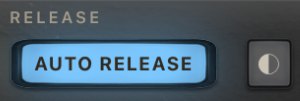
Auto release · On / Off (On)
Lit blue when Release is on Auto: fast after a short peak, slower while limiting goes on. Pressing it is the same as turning Release fully down. ◐ beside it switches the panel between black and cream.
Measured with Auto release: the gain is back within 1 dB 70 ms after a 30 ms peak, and 210 ms after 3 seconds of continuous limiting.
Live and Mix
| Live | Mix | |
|---|---|---|
| Latency | 0 | 73 samples, 1.52 ms at 48 kHz, reported to the host |
| Use it for | playing and singing through a bus | mixing and bouncing |
| Peaks | no sample passes the ceiling | the true peak is held under the ceiling |
| Below the ceiling | the input, bit for bit | the input, delayed by exactly 73 samples |
Live sees samples only. No sample passes the ceiling, but between samples a bright bus can read up to about +1 dBTP, and the screen marks those overs in red. With no look-ahead it turns the start of each peak down at once: fine for a few dB, but on a very hot source you can hear it crackle.
Mix looks 1.52 ms ahead. With the ceiling at −1 dB it measured −0.85 dBTP on our test material, with no measurable distortion on a 1 kHz tone driven 6 dB into it. When you switch modes, the host is told the new latency.
There is no oversampling setting: Mix mode's true-peak detection is built in.
Reading the screen
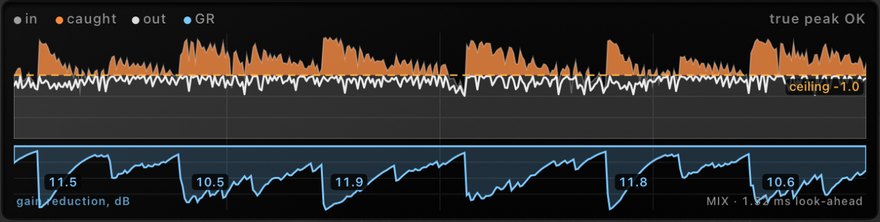
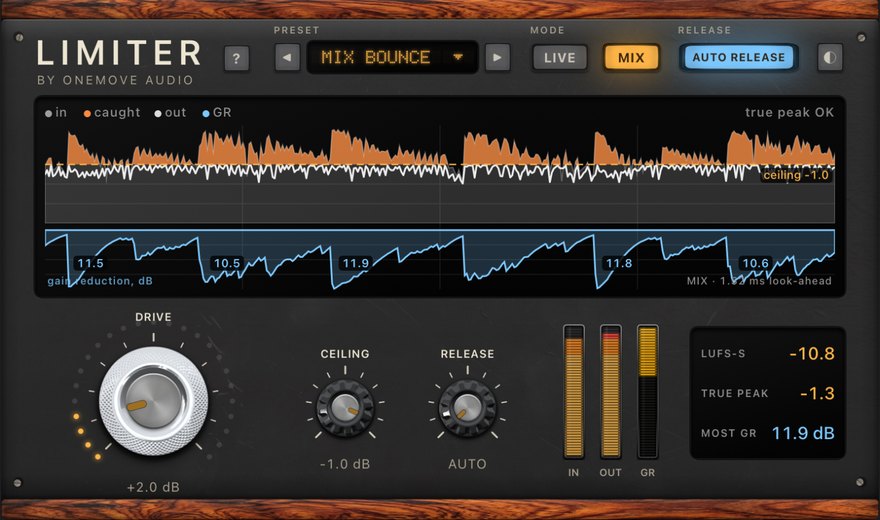
- Grey is the signal after Drive. Orange is the part over the ceiling, which the limiter caught. The white line is the output, and the amber dashes are the ceiling.
- The blue lane is the gain reduction in dB. The five biggest catches are labelled, so you can read "it's taking 3 dB off the snare".
- Red ticks along the top are true-peak overs at the output. The top right says true peak OK or true-peak overs N.
- The screen shows the last 4 seconds on iPad and 3 seconds on iPhone.
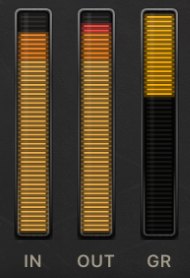
IN · OUT · GR
Level after Drive, output level, and gain reduction.
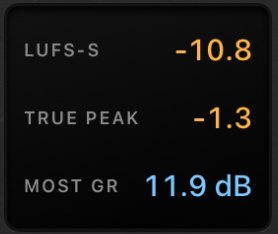
LUFS-S · TRUE PEAK · MOST GR
Short-term loudness, the highest true peak on the screen (red if it is over the ceiling) and the most gain reduction on the screen.
Presets
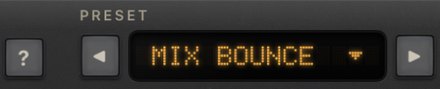
Tap the preset name for the list, or step through them with ◀ ▶. A \* after the name means a control has changed. Your host saves your settings with the session, and hosts that support user presets can save your own.
| preset | Drive | Release | Mode | good for |
|---|---|---|---|---|
| Bus Safe | 0 dB | Auto | Live | just stopping clipping |
| Synth Bus | 3 dB | Auto | Live | a synth or keys bus |
| Loud Bus | 6 dB | Auto | Live | a bus that should sit forward |
| Drum Bus Punch | 4 dB | 60 ms | Live | drums, with a fixed release |
| Mix Bounce | 2 dB | Auto | Mix | the stereo mix, for a bounce |
Every preset sets the Ceiling to −1 dB.
Try it in the app

Tap Play on the app's main screen. Our demo band plays 9 dB too hot through the limiter on Mix Bounce. Press Bypass to hear it clip without the limiter, and again to hear it clean. On the loudest hits the screen shows about 10 dB caught. The panel below works as it does in a host. The app plays only its built-in demo and never records.
Free
OneMove Limiter is free: no purchases, no ads, no time limit, and bounces are processed in full.
Help and feedback
The ? button on the panel opens a short Quick guide inside the panel (so it works in any host), this manual, or the support form to report a bug, suggest an idea or ask a question. The form is filled in with the app version and your device; nothing is sent until you press Send.
Settings
◐ on the panel, and the colour button in the app, switch between the black and the cream panel. The app and the panel follow the same setting.
Tricks and use cases
A synth or band bus that never clips
- The problem: a hot bus clips the host's output when everything plays at once.
- The setup: Limiter last on the bus, Bus Safe. Raise Drive until the screen catches only the loudest hits.
- Listen for: no clipping, and the quiet parts untouched: in Live, everything below the ceiling passes bit for bit.
Bounce a mix true-peak-safe
- The setup: Mix Bounce on the stereo mix, Ceiling −1 dB. Watch the read-out: TRUE PEAK should stay under the ceiling and the screen should say true peak OK.
- Mix mode reports its 1.52 ms to the host, so the host keeps everything in time.
Drums with punch
Drum Bus Punch uses a fixed 60 ms release, so the limiter lets go between hits instead of following each one. Raise Drive until the labels in the blue lane read the few dB you want off the loudest hits.
Automation and MIDI
Every control is a host parameter: Drive, Ceiling, Release (0 is Auto) and Mode. Automate them, or map them to MIDI controllers in your host.
Host setup tips
- Where to put it: last on the bus, after any EQ, compressor or effect, so nothing after it can raise the peaks again.
- Latency: Live reports 0; Mix reports 73 samples at 48 kHz. Hosts with delay compensation keep other tracks in time.
- Loopy Pro is the host we have tested our plug-ins in. If something doesn't work in your host, tell us which one.
Troubleshooting
Limiter isn't in my host's list
Open the OneMove Limiter app once, then close the host completely and open it again. Hosts read the list of plug-ins when they start.
Nothing happens
- Check that the plug-in isn't bypassed in the host and that it is on a track that is playing.
- If the screen shows no orange, nothing is over the ceiling: raise Drive, or lower Ceiling.
The output still reads over the ceiling
You are in Live, which holds the samples but not the peaks between them. Switch to Mix and check that the read-out says true peak OK.
It crackles or pumps
- A crackle in Live on a very hot source: lower Drive, or switch to Mix, which looks ahead.
- Pumping: lower Drive, or set a longer Release.
Report a bug or suggest an idea
Use the support form, or ? on the panel, which fills in the app version and your device. Tell us your iPadOS or iOS version, host, what you did and what happened. For an idea, pick Idea or request.