
Press kit
Everything you need to write about OneMove Vocal Console. All text on this page may be quoted; all images may be used in coverage of the product.
Names
- Product: OneMove Vocal Console
- Maker: OneMove
- Format: AUv3 plug-in and app for iPad and iPhone
Please use these names as written.
One sentence
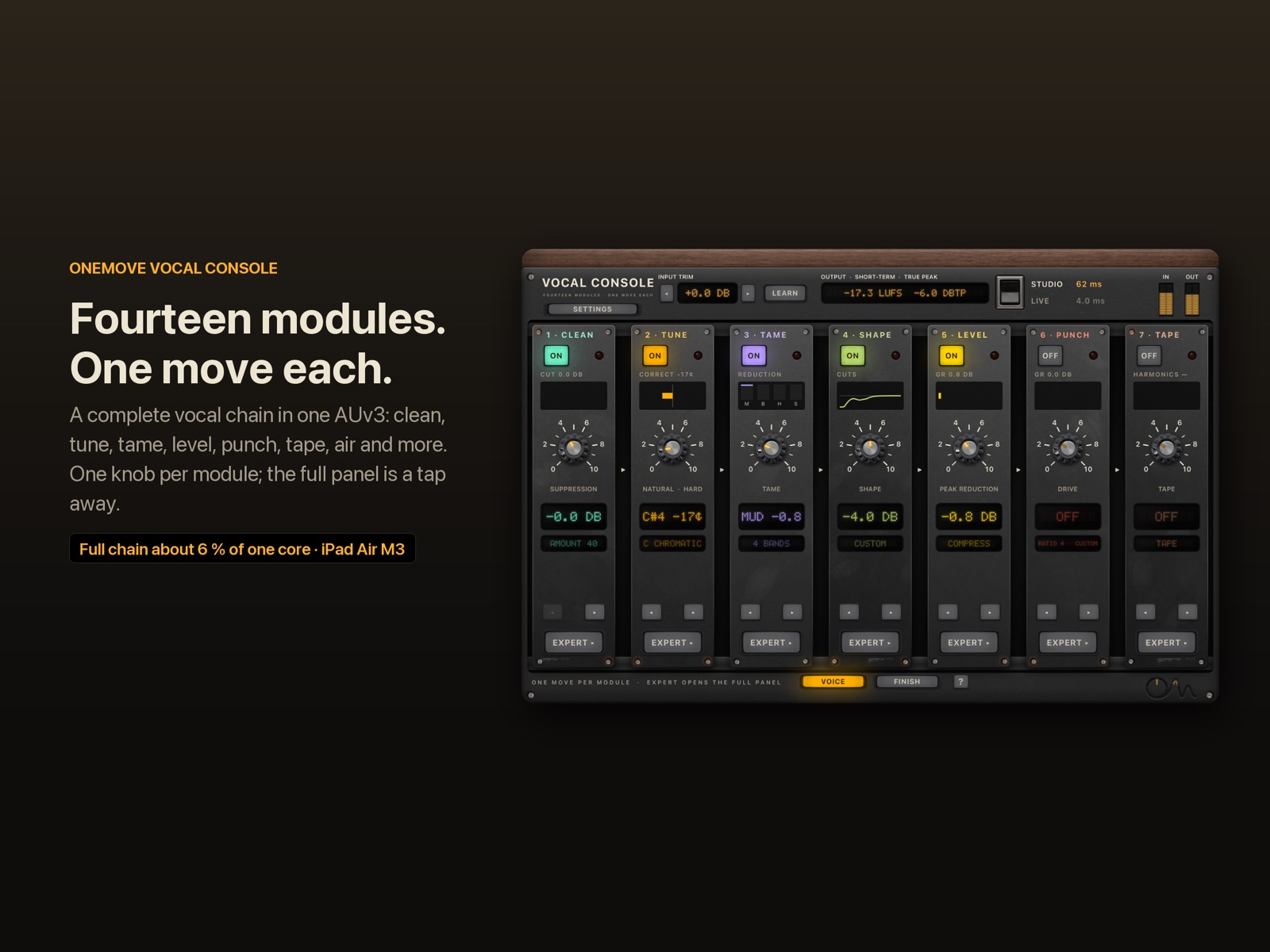
OneMove Vocal Console is a complete vocal chain in one AUv3 plug-in for iPad and iPhone: fourteen modules, one move each.
Short description (about 50 words)
OneMove Vocal Console puts a complete vocal chain into one AUv3 plug-in for iPad and iPhone. Fourteen modules, from neural noise reduction and real-time pitch correction to opto and FET compression, air, loudness and a plate reverb, each with one main knob. The full chain uses about 6 % of one core on an iPad Air M3.
Long description (about 200 words)
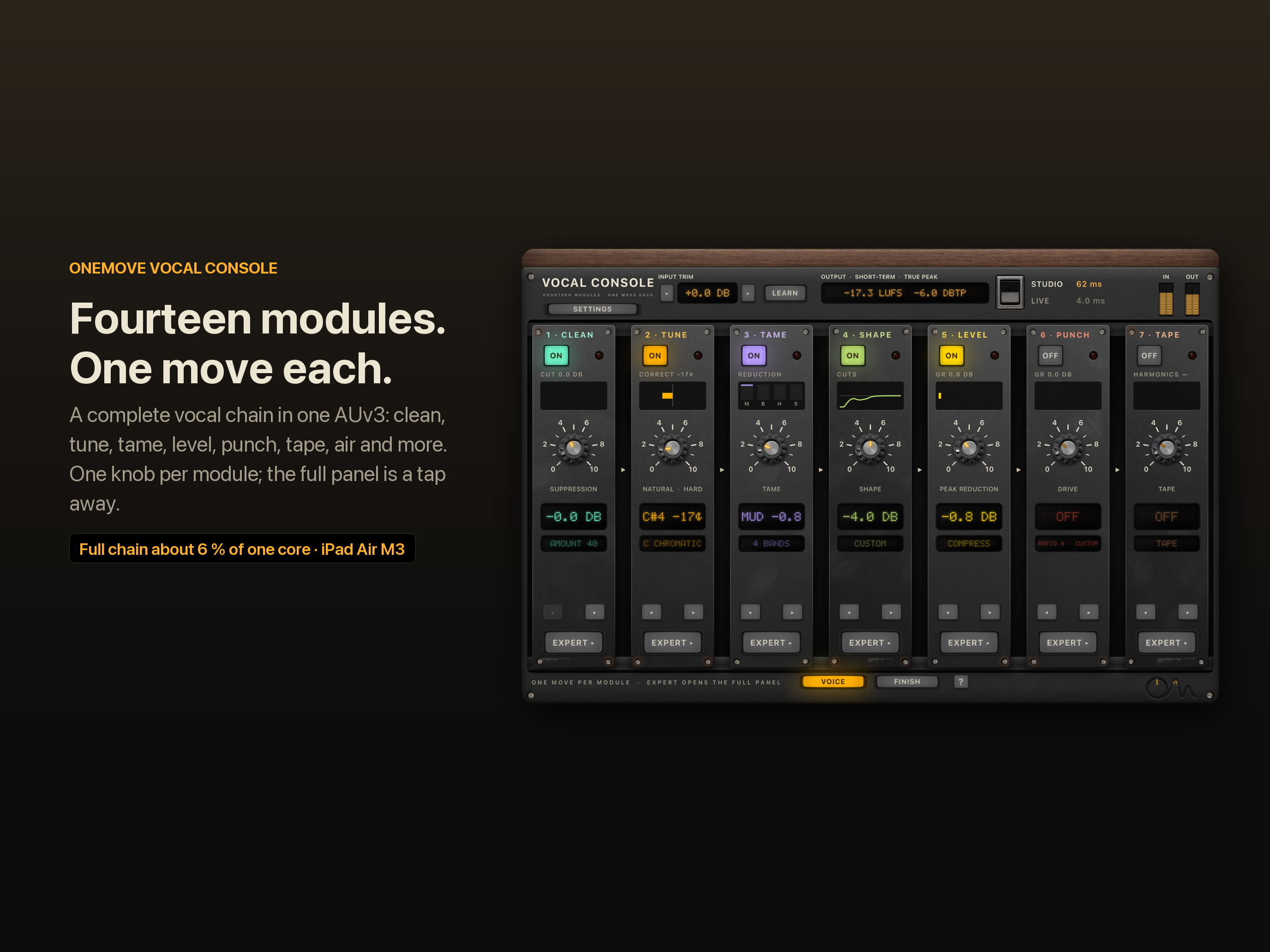
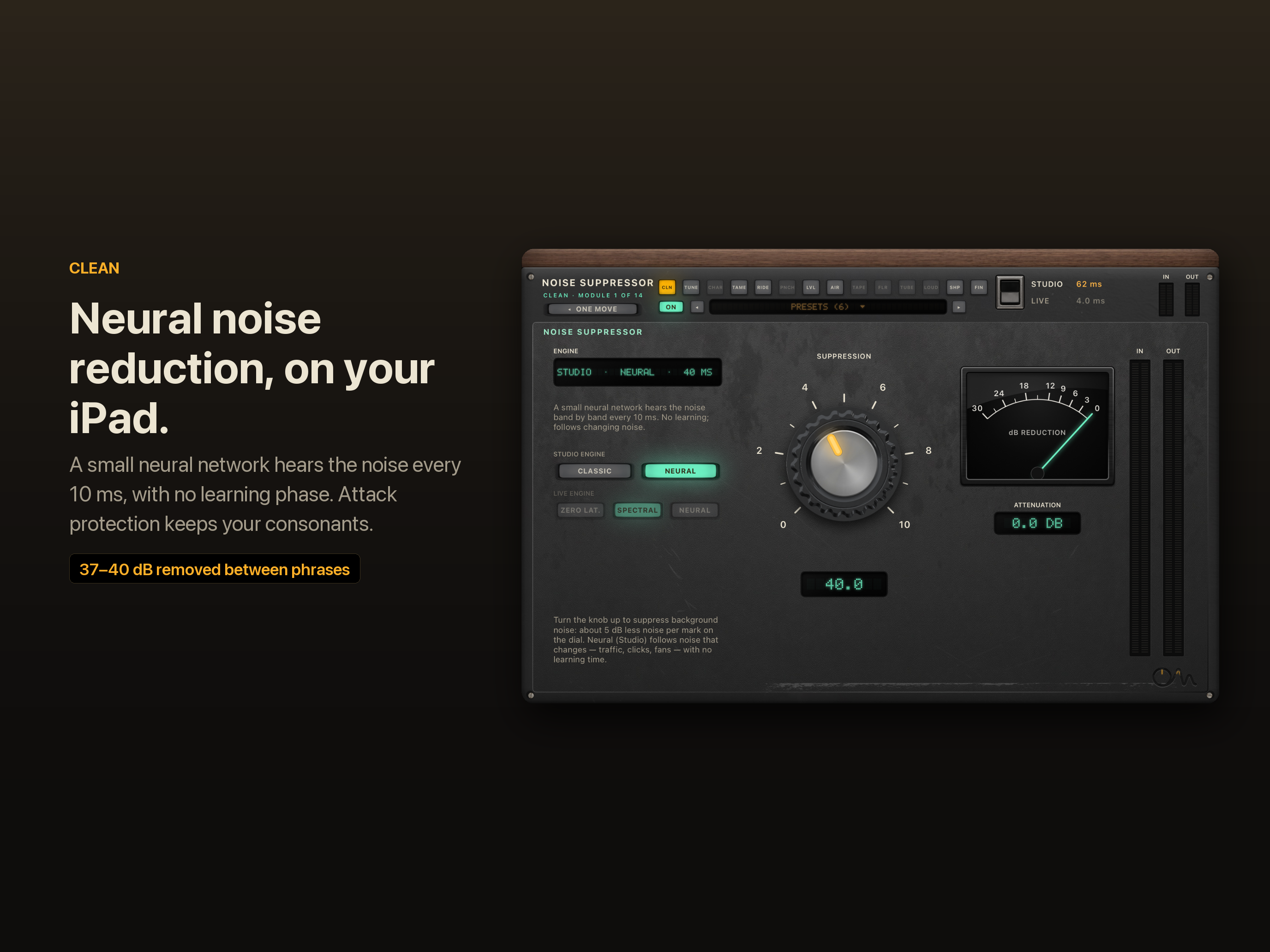
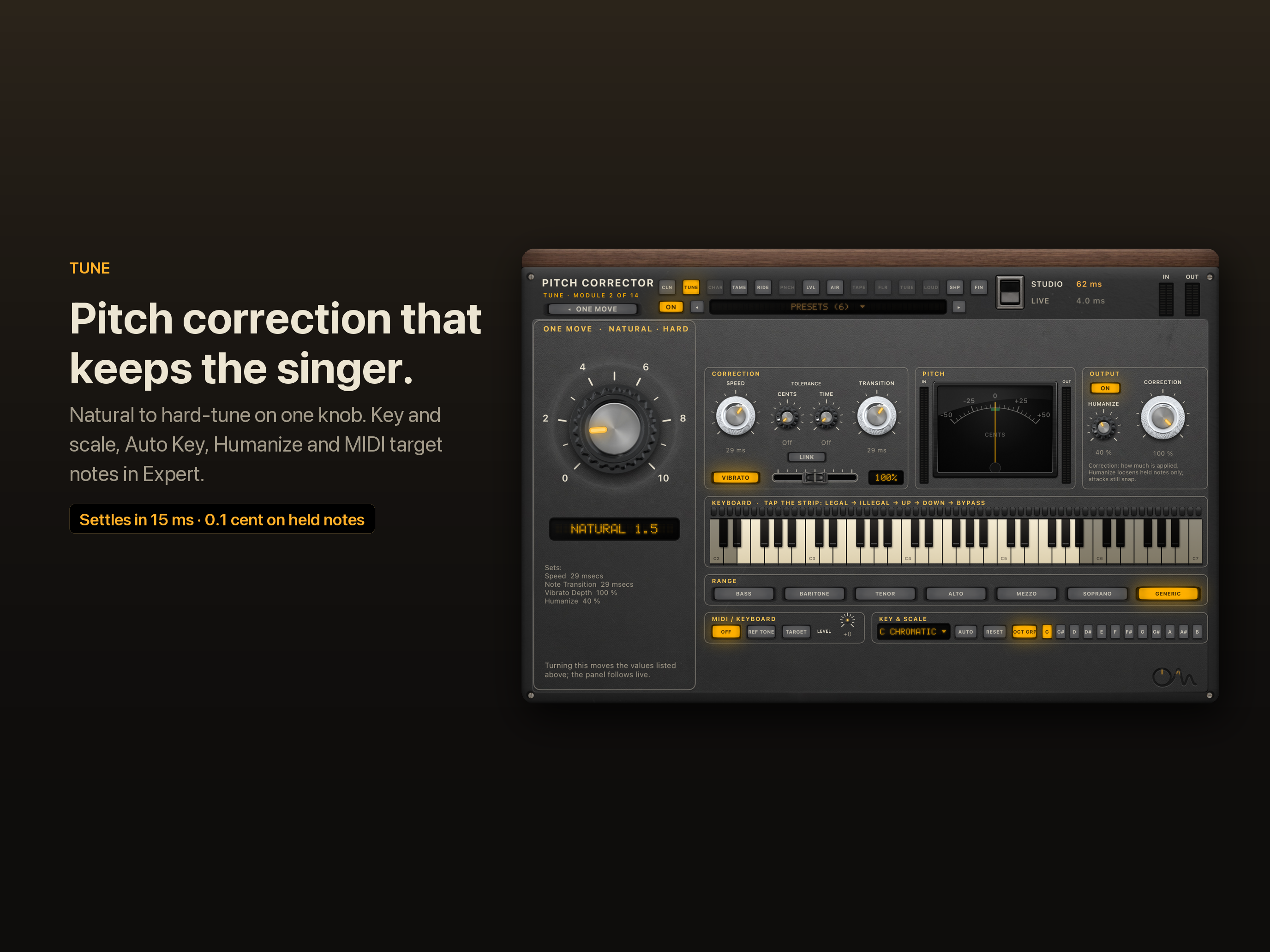
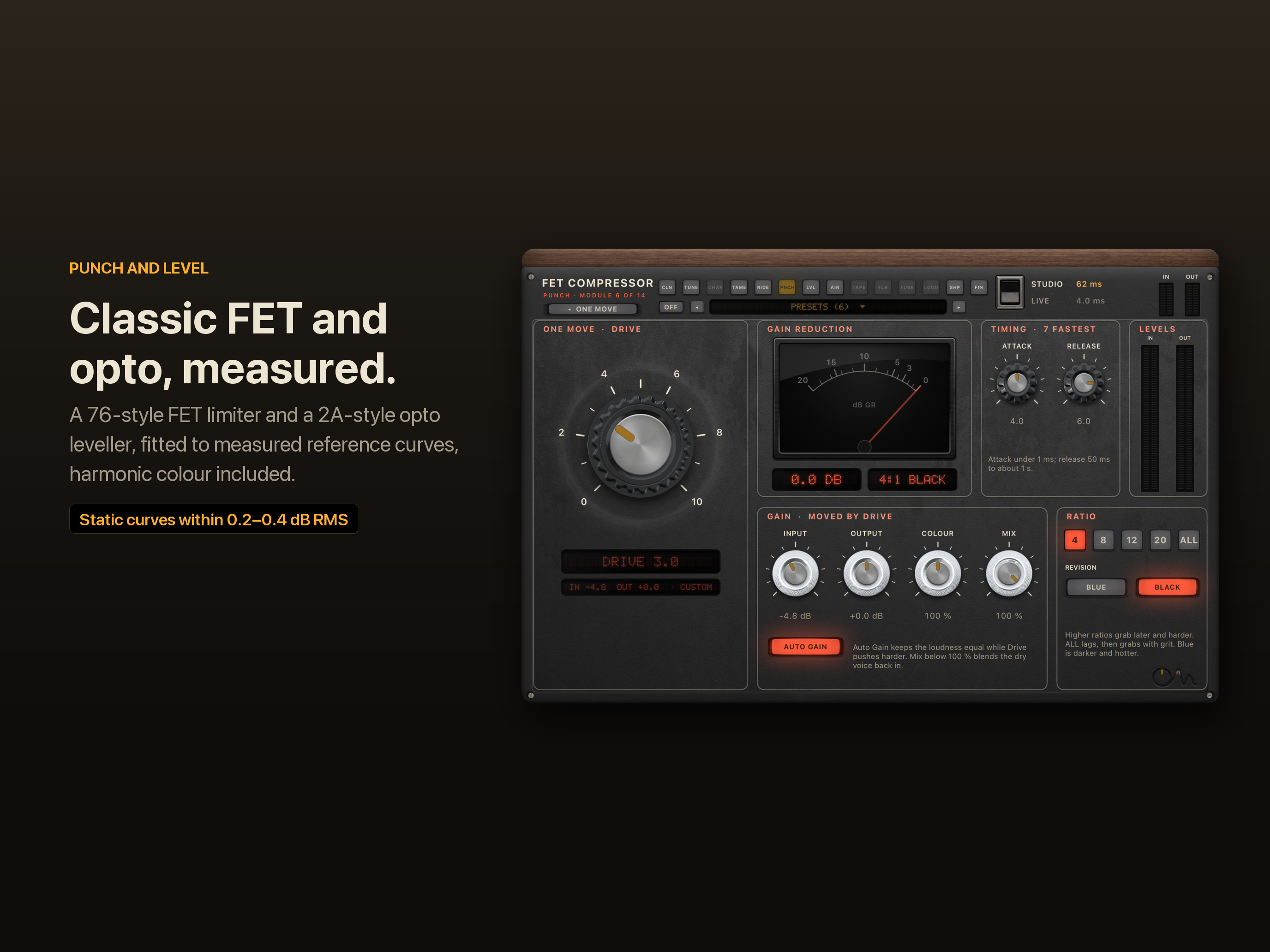
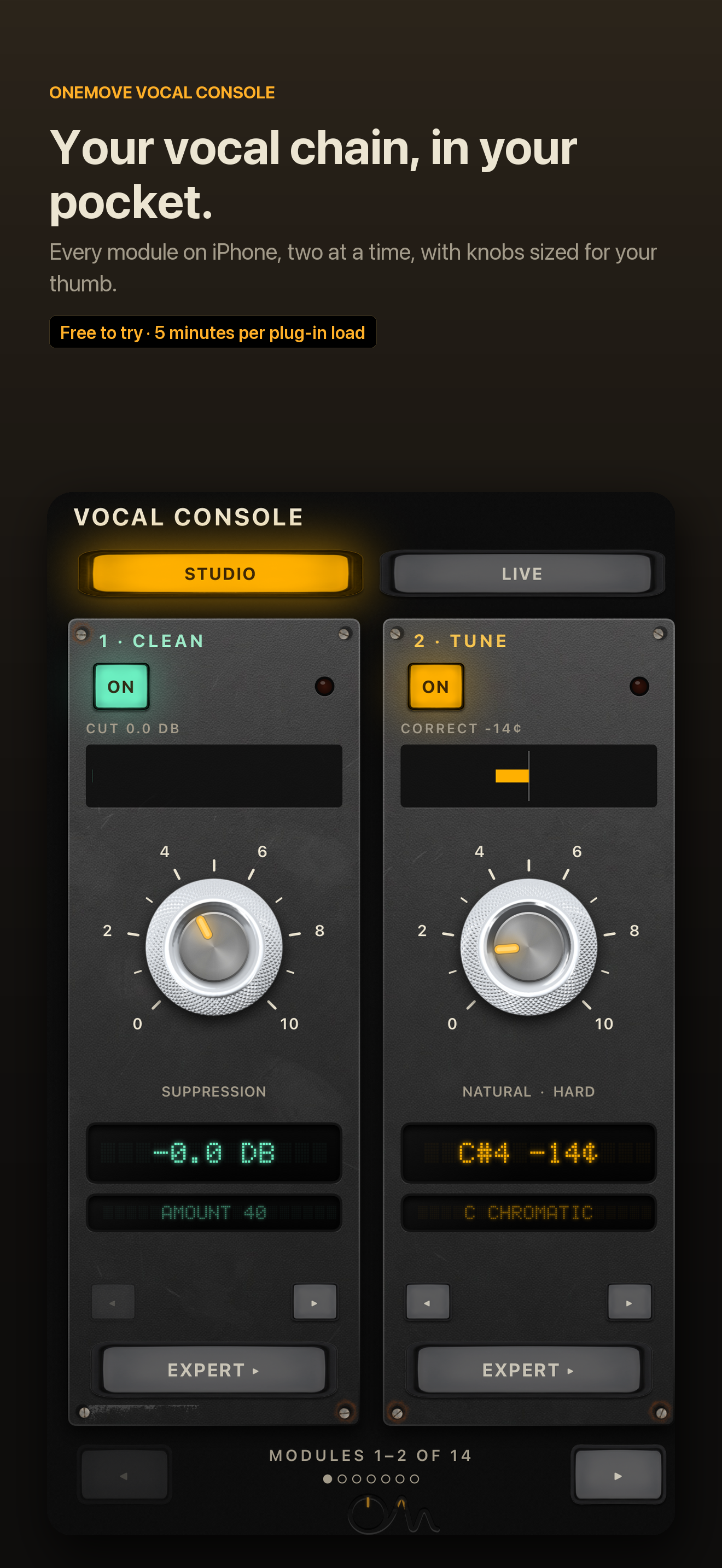
OneMove Vocal Console replaces the five or six plug-ins a vocal usually needs with one AUv3 plug-in for iPad and iPhone. Its fourteen modules follow a classic studio lead-vocal chain: Clean (on-device neural noise reduction), Tune (real-time pitch correction with key, scale, Auto Key and MIDI targets), Tame (dynamic EQ and de-esser), Shape (corrective EQ), Level (a 2A-style opto leveller), Punch (a 76-style FET limiter), Tape, Floor, Ride (a vocal rider), Tube, Character (voice transformation), Air, Loud and Finish, with a plate reverb and doubler.
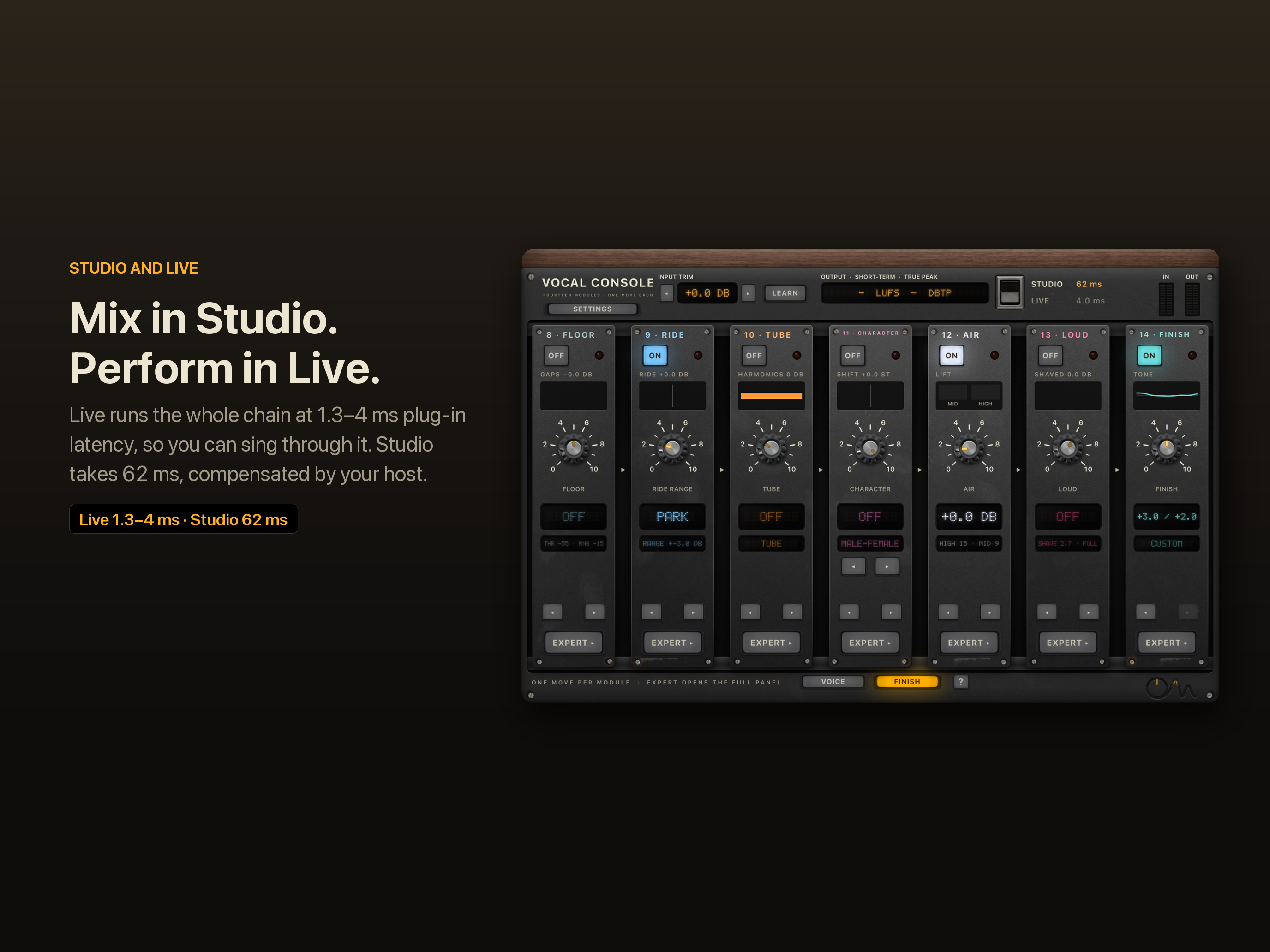
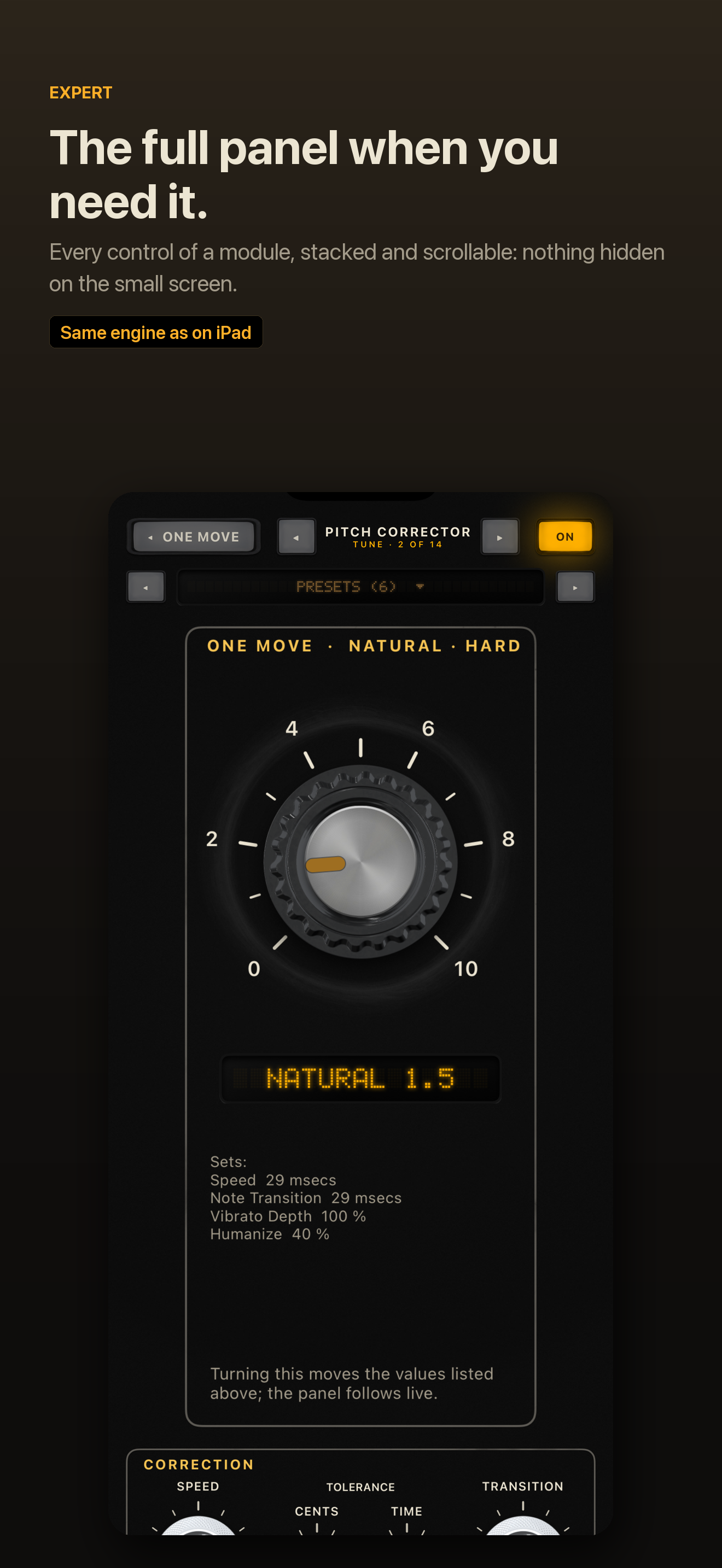
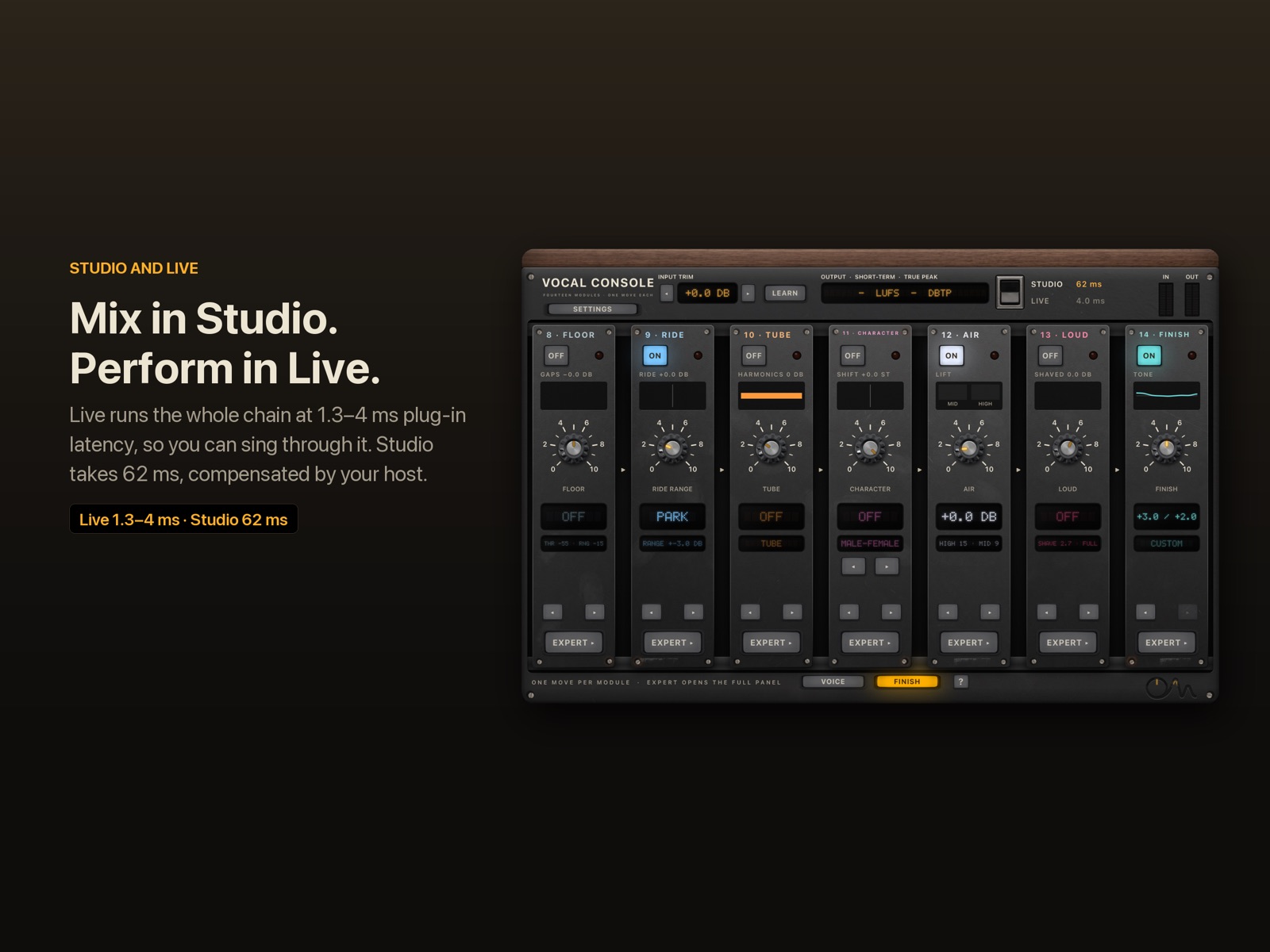
Every module opens as a single knob, its "One Move", which sets several controls at once. Expert opens the full panel. A Studio mode spends up to 62 ms on the best noise reduction and pitch correction for mixing; a Live mode keeps the whole chain at 1.3–4 ms of plug-in latency for singing through it.
All fourteen modules together use about 6 % of one core on an iPad Air M3. It runs in AUv3 hosts such as Logic Pro for iPad, Cubasis, AUM, Loopy Pro, GarageBand and Beatmaker, and in its own app with two demo vocals. Key Link gives the rider a side-chain in hosts without one.
It is free to try, and one purchase of $19.99 unlocks it. No subscription, no data collected.
Key facts
| Platforms | iPadOS and iOS: AUv3 plug-in plus app |
| Modules | 14, reorderable, each with one main knob and an Expert panel |
| Live mode latency | 1.3–4.0 ms (plug-in latency at 48 kHz) |
| Studio mode latency | 32.3 or 61.6 ms, host-compensated |
| CPU, full chain, iPad Air M3 | about 6 % of one core (5.2–6.6 % audio thread; 10.7–11.6 % total with neural Clean); measured before Space was added; Space adds about 0.3–0.4 % of one core on the Mac |
| Neural noise reduction | on the device; 37–40 dB removed in pauses in our tests |
| Pitch correction | settles in 15 ms (Studio) / 28 ms (Live) at the hard setting |
| Sample rates | 44.1–96 kHz |
| Price | free to try; $19.99 once to unlock; no subscription |
| Release date | to be announced |
| Version | 1.0 |
Full figures: specifications. Methods: research.
Logo and icon
- App icon, PNG 1024 × 1024 (square, full bleed)
- App icon, PNG 512 × 512 with rounded corners
- OneMove mark, SVG (single colour)
- OneMove mark, SVG (amber)

Screenshots
Full-resolution App Store images (PNG):
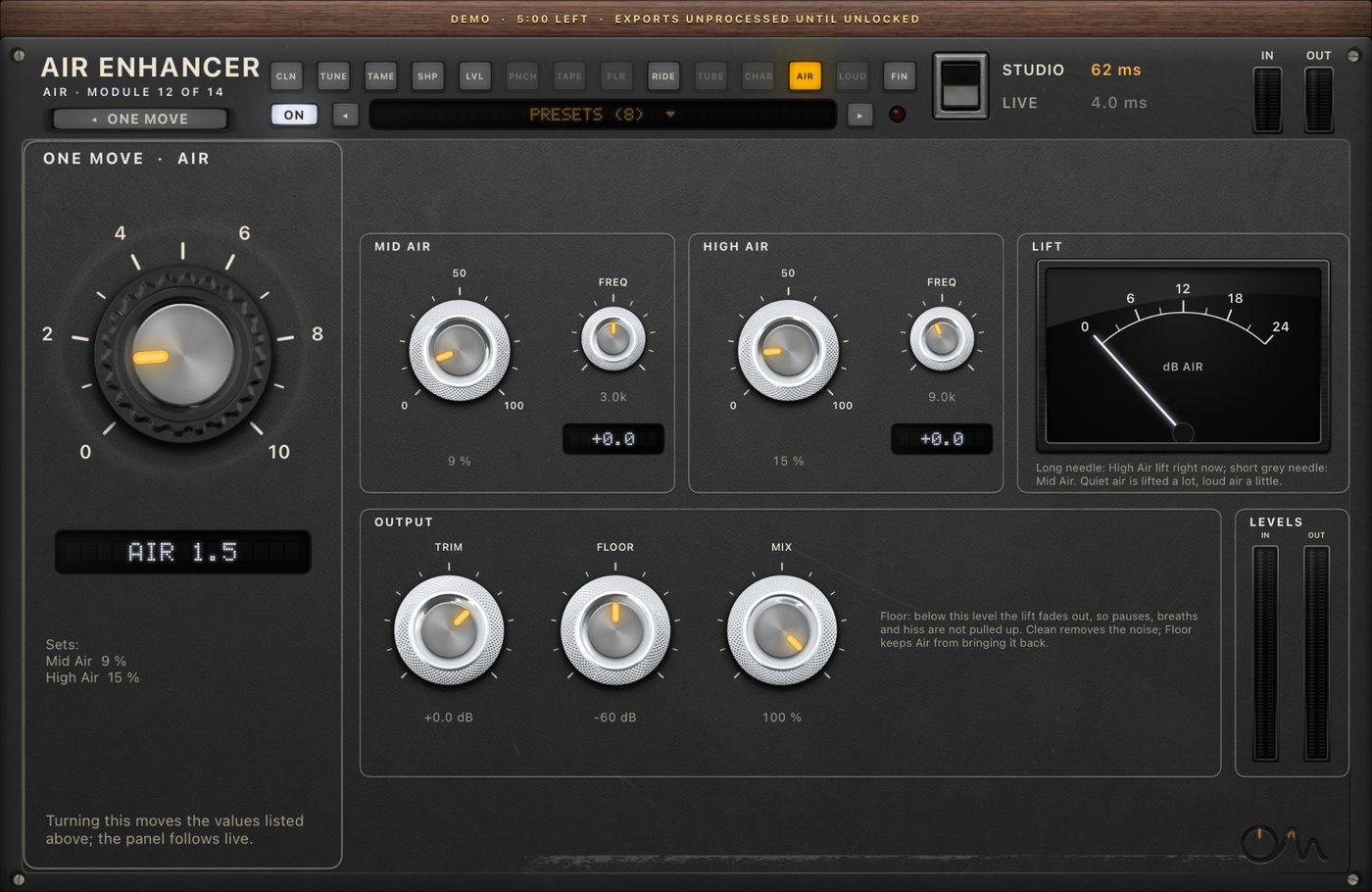
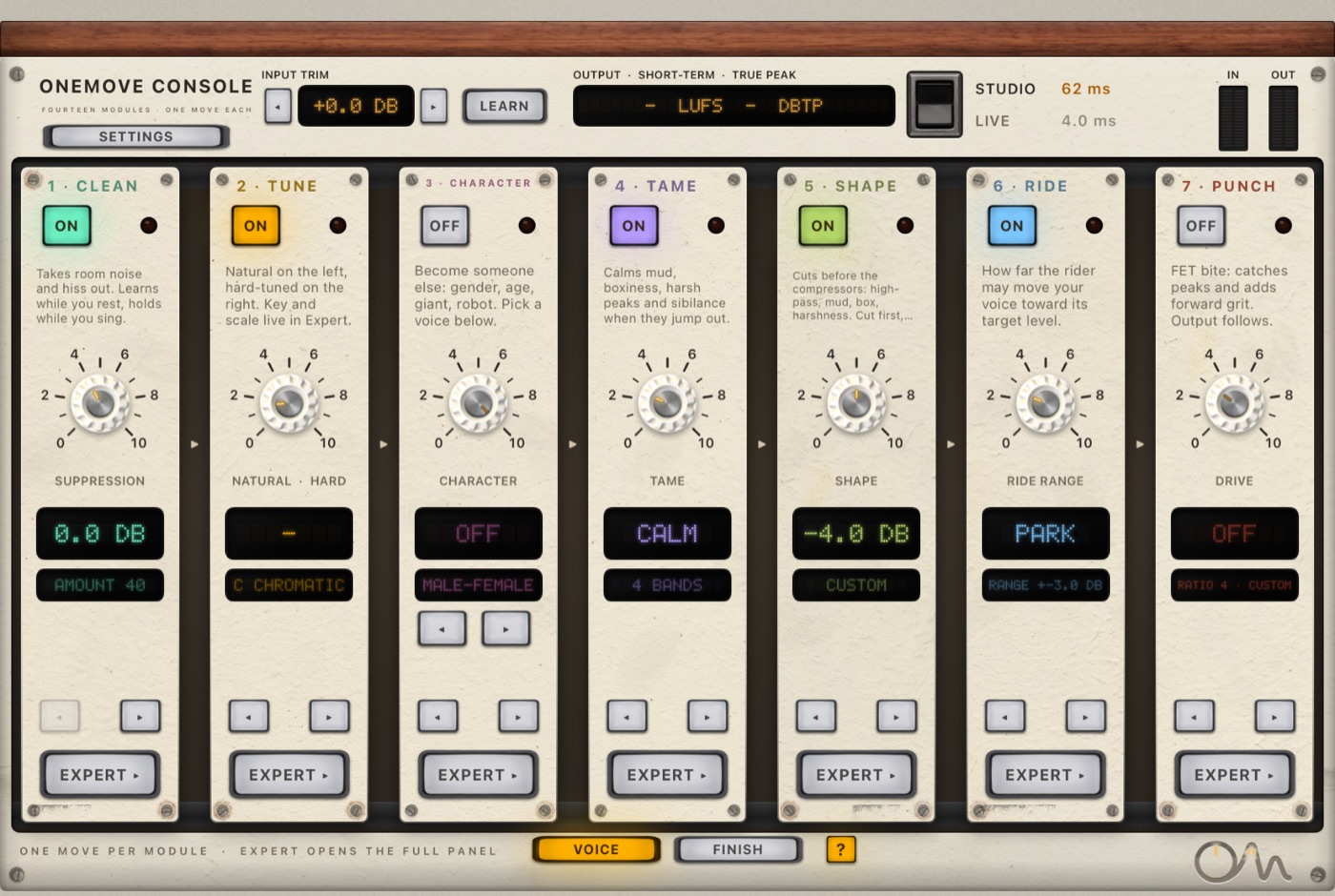
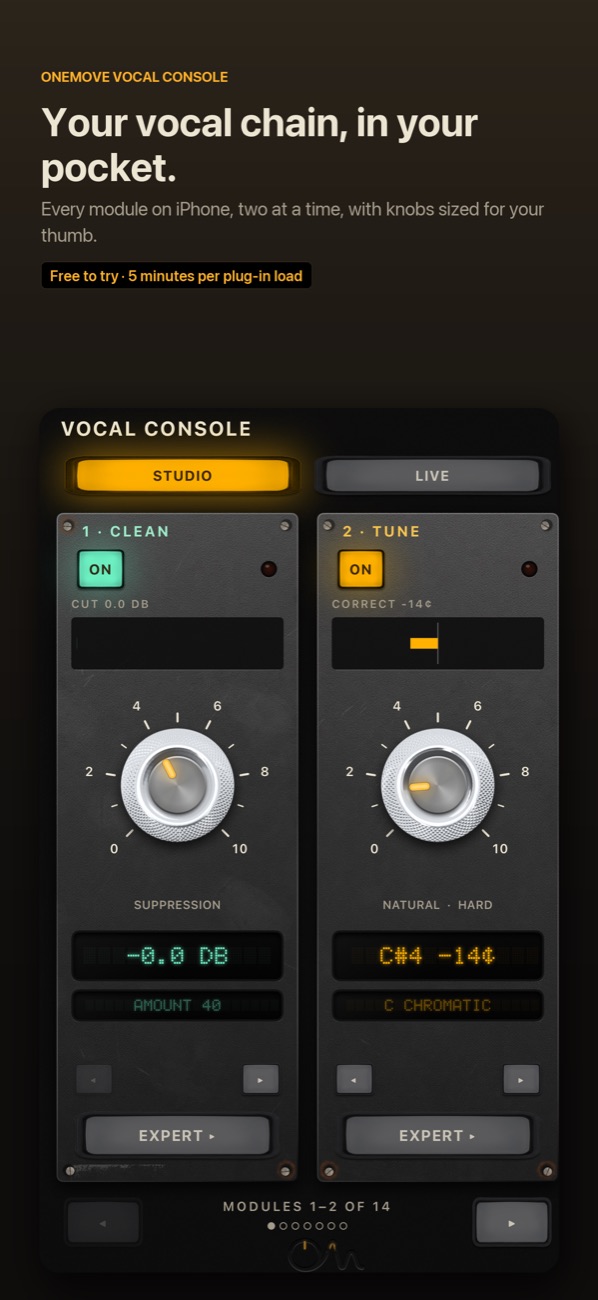
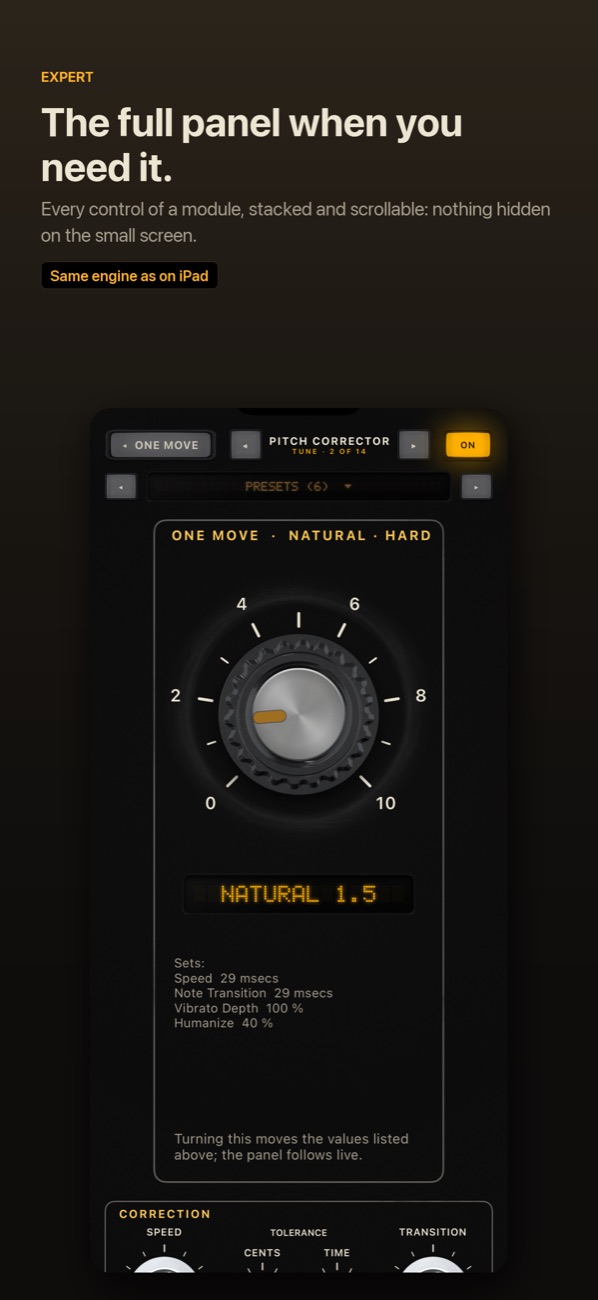
- iPad: the One Move page
- iPad: Clean
- iPad: Tune
- iPad: Punch
- iPad: the Finish page
- iPhone: the One Move page
- iPhone: Tune
Screen recordings
Audio examples
Before/after clips, level-matched, made from the app's two demo vocals (CC BY 2.5, credit required: see each clip).
Studio Lead chain
A dry male vocal with an added fan and clicks, then the Studio Lead chain: two compressors, tape, tube, air, tone and a plate with a light double. Before and after are set to the same loudness, so you hear the change, not a level jump.
"More Than 2 Sides (accapella)" by Colin Mutchler (ccmixter.org/files/commonsplice/2599), licensed CC BY 2.5 (creativecommons.org/licenses/by/2.5). Excerpt, processed by OneMove Vocal Console.
Contact
Press and review copies: support@onemove.audio.
"2A-style" and "76-style" describe circuit behaviour. Apple, iPad, iPhone, App Store, Logic Pro and GarageBand are trademarks of Apple Inc.