
App · iPhone
Echo Sing
See which way to move, and how far.
- Does
- A daily singing coach with a game
- Works on
- iPhone, with or without headphones
- Price
- Free to use · Pro $6.99 a month, $29.99 a year or $59.99 once
Coming soon


Echo Sing is a daily singing coach for iPhone. As you sing, it shows the note you are aiming for, the note you are singing, and which way to move, with the distance first: "2 notes up". A 30-second range check fits every exercise to your voice, a short plan builds the habit, and a game called Echo's Glide turns the same notes into something you play with your voice. Free to use, with no account.
What it is, and who it is for
Most singing practice has a gap in it: you sing, and you cannot tell whether you were above or below the note, or by how much. Echo Sing closes that gap. You see your voice against the note, live, in plain words, and you practise the notes that stood out for you.
It is made for people who are starting or starting again:
- Beginners who have never had a lesson and want to know where to begin. Day one is a range check, then a plan that fits it.
- People who say "I can't sing". Most people who sing off pitch can hear the difference; the voice has not yet learned to land on the note. Seeing it live helps that link grow. Nothing in the app scores you as a person, and it never shames a take.
- Returning singers who want a warm-up and a reason to open their voice again a few minutes a day.
- Choir members who want a five-minute warm-up on the way in, and a way to check one hard interval.
- Parents and kids sharing a phone. Each singer has their own range, stars and progress on the same iPhone, up to four.
It is not a replacement for a teacher, and it does not say anything about your health.
How it works
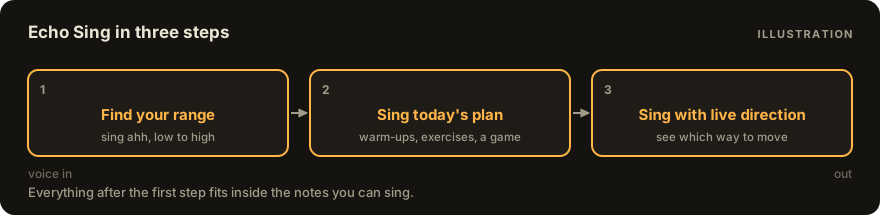
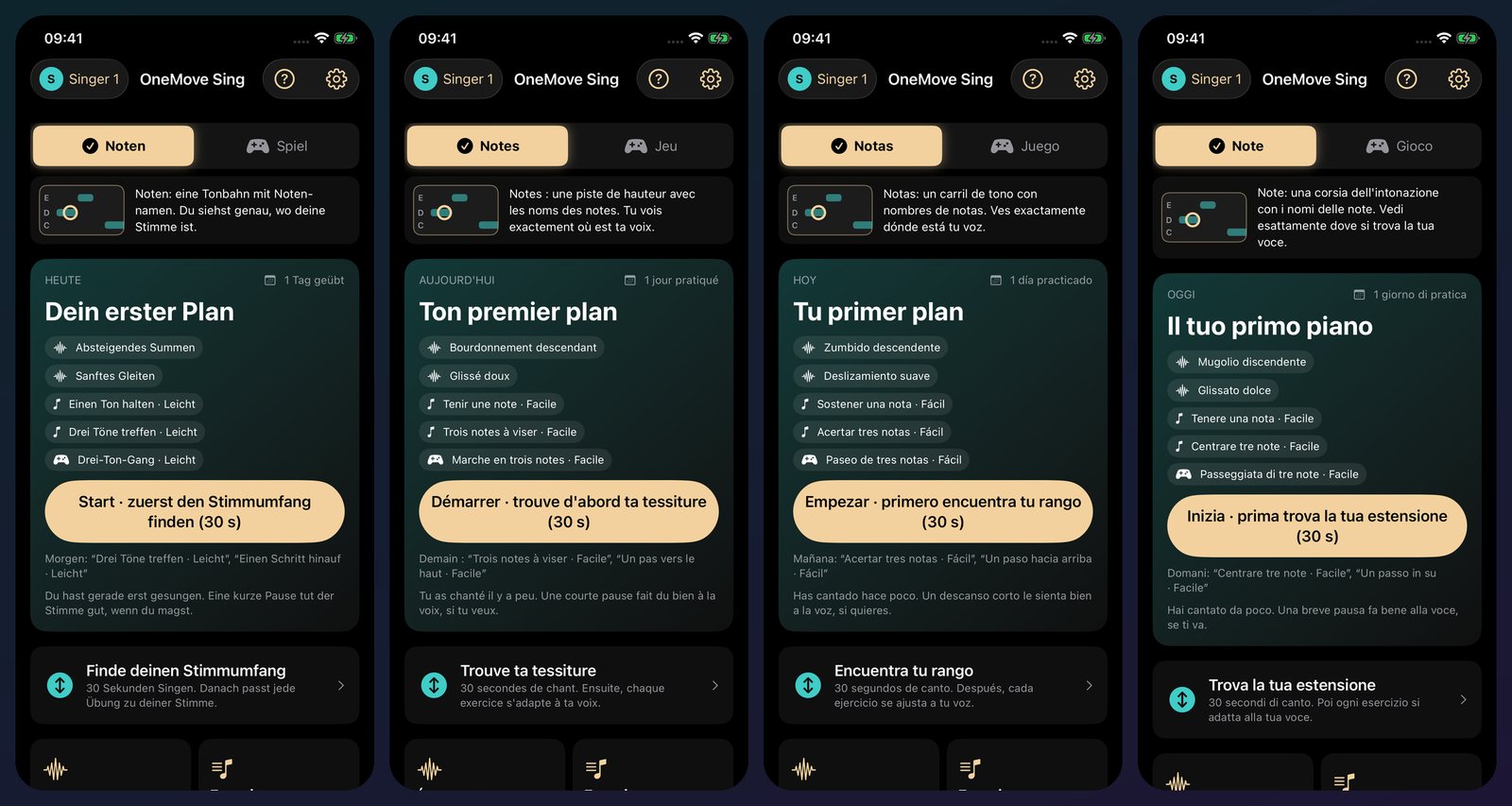
- Find your range. Sing "ahh" low to high for about 30 seconds. The app listens to singing, never speech, and shows your lowest and highest comfortable notes. Everything after this fits inside them. Never a voice-type label, and you can adjust the range by hand.
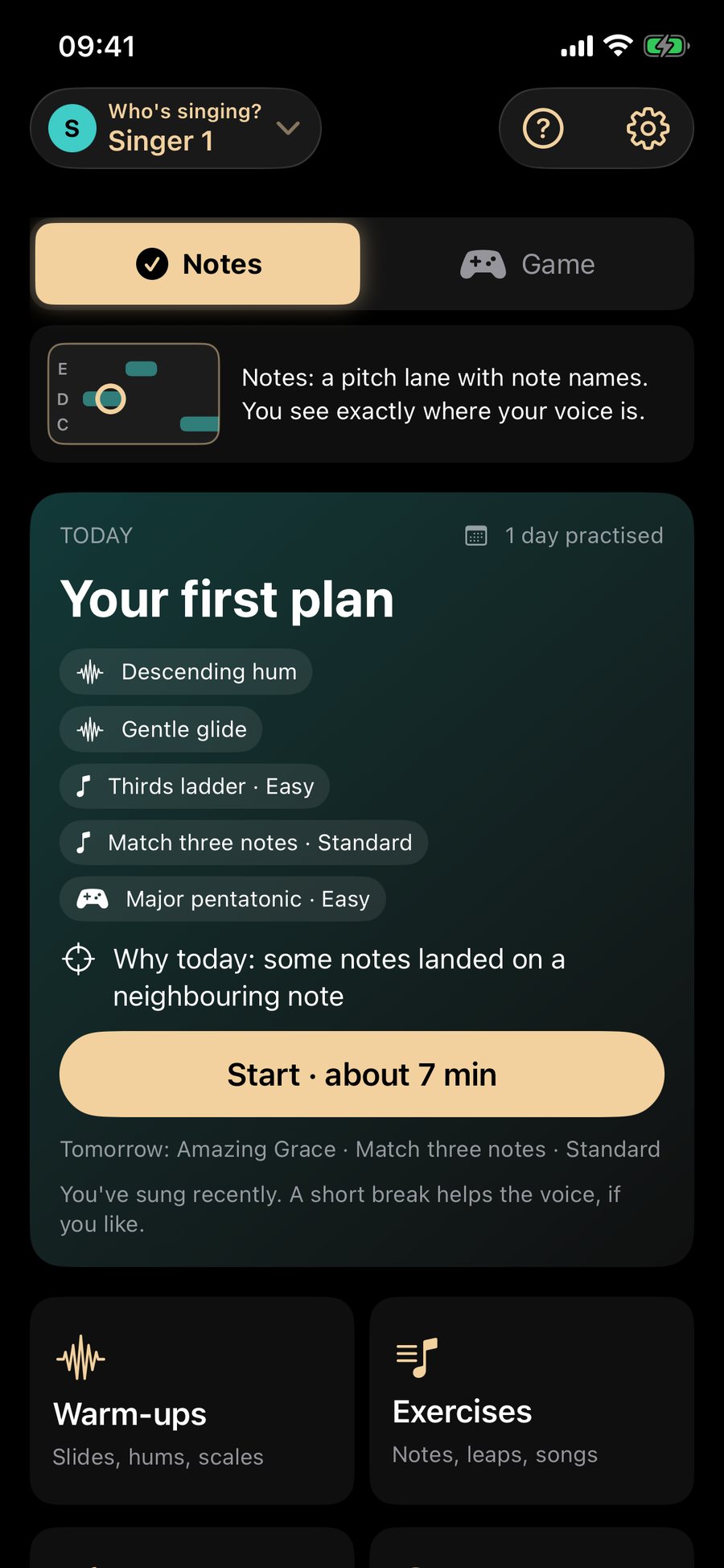
- Sing today's plan. A few minutes: a warm-up, a few exercises picked for today, then the same notes as a game. Stop whenever you like. Short days count.
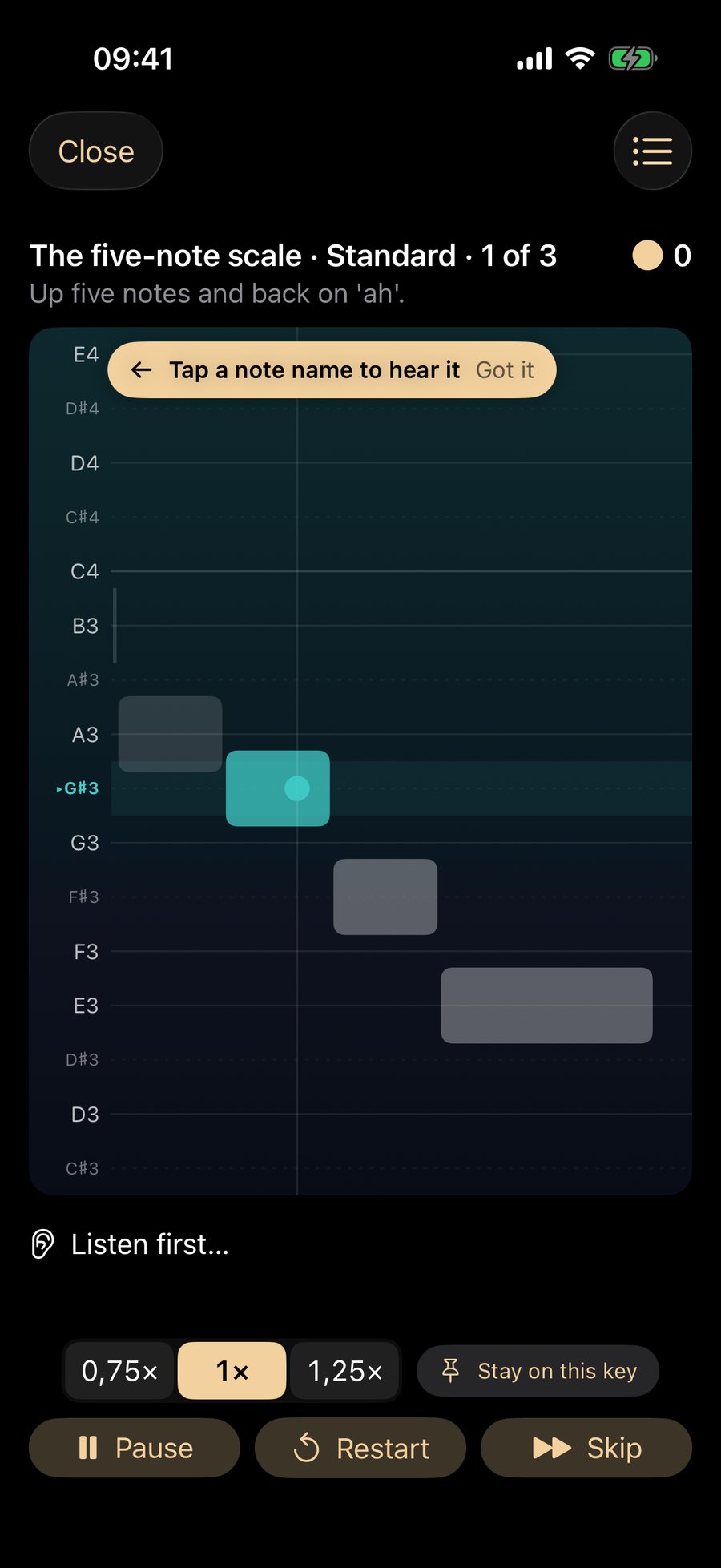
- Sing with live direction. The lane shows the target, your note and which way to move. Slow it down, stay on one key, tap any note name to hear it, or pause. Afterwards you see what stood out and the one exercise that helps.
Use cases
Warm up in 5 minutes before choir
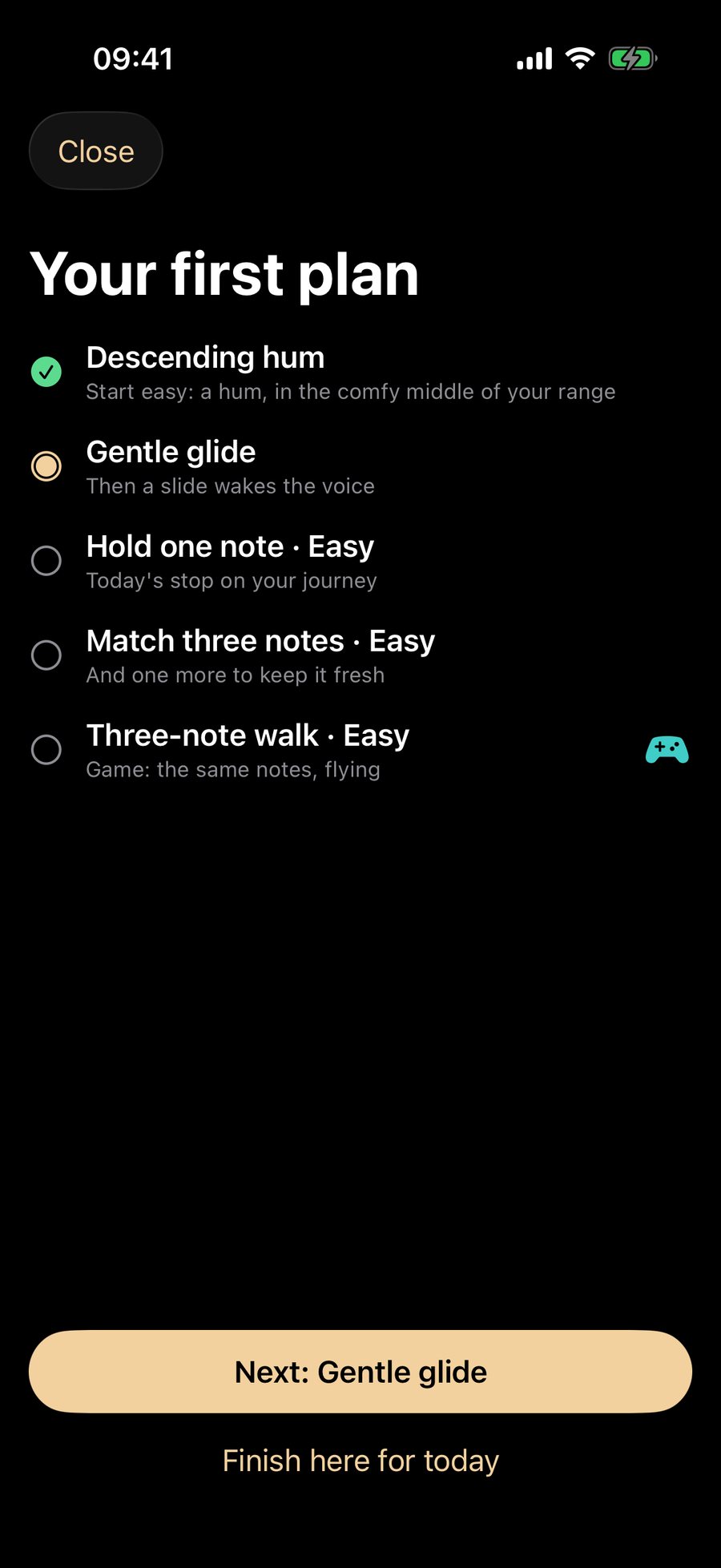
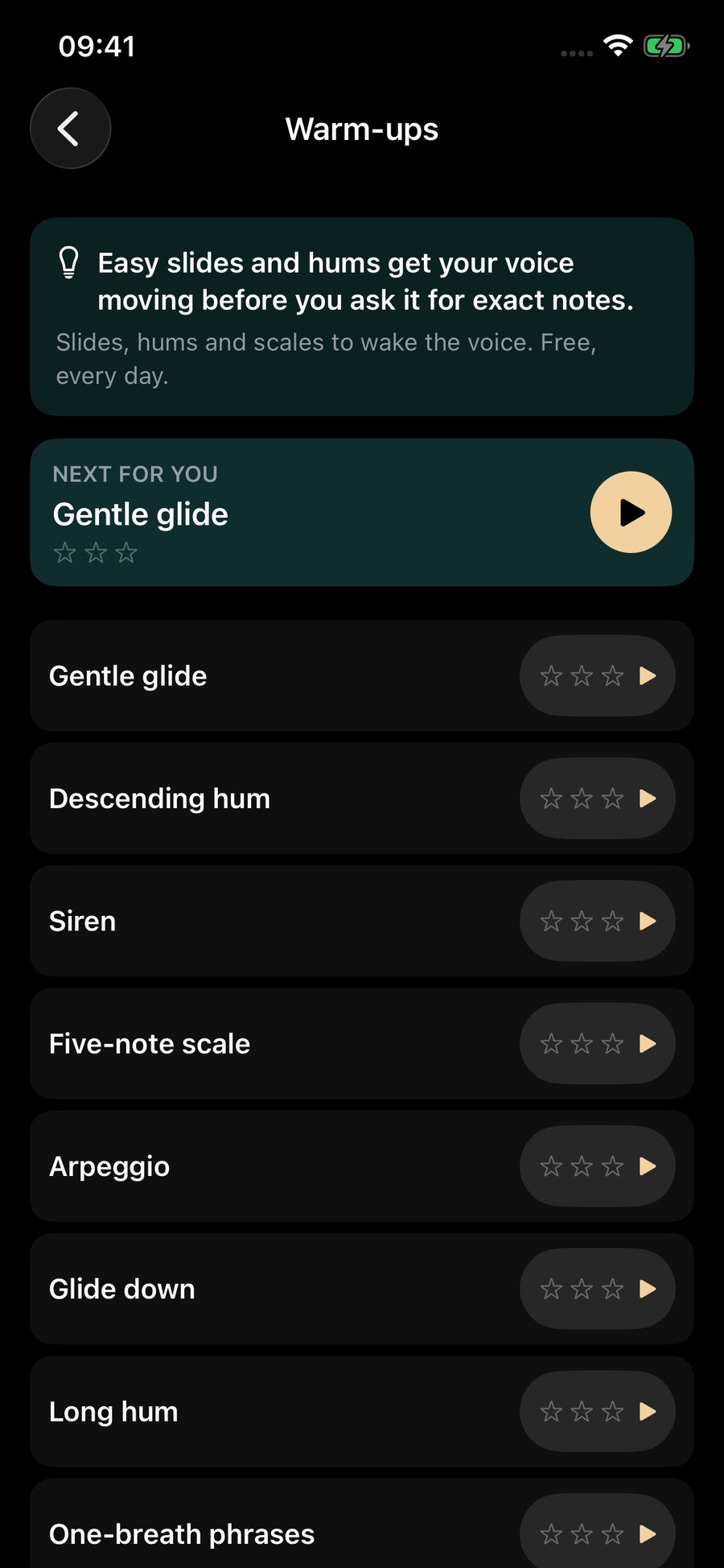
Open the app on the way in, tap the Today card and sing the warm-up: a hum, a gentle glide and an easy note or two. The plan is built to be short. The Warm-ups list also has slides, hums, scales and three breathing warm-ups you can pick at any time.
Find your range
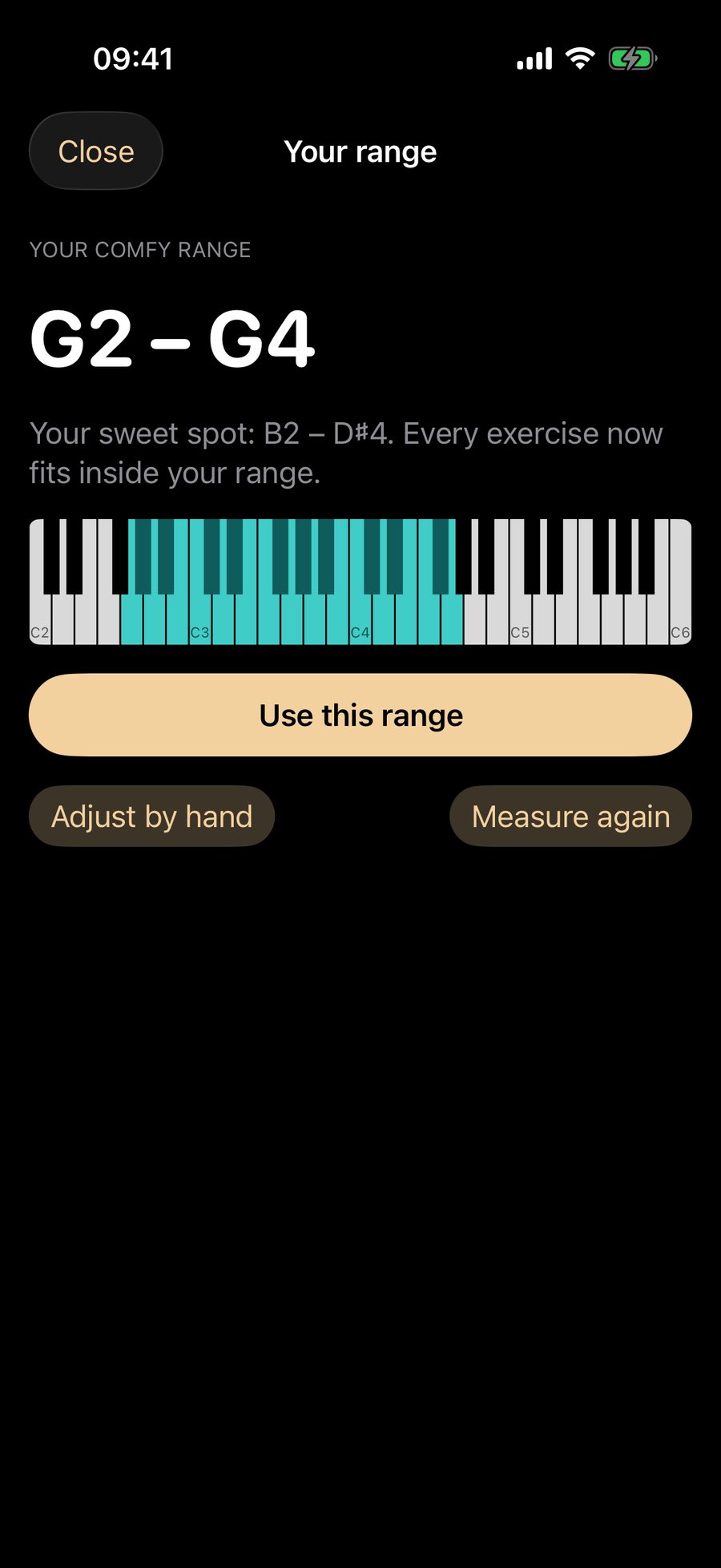
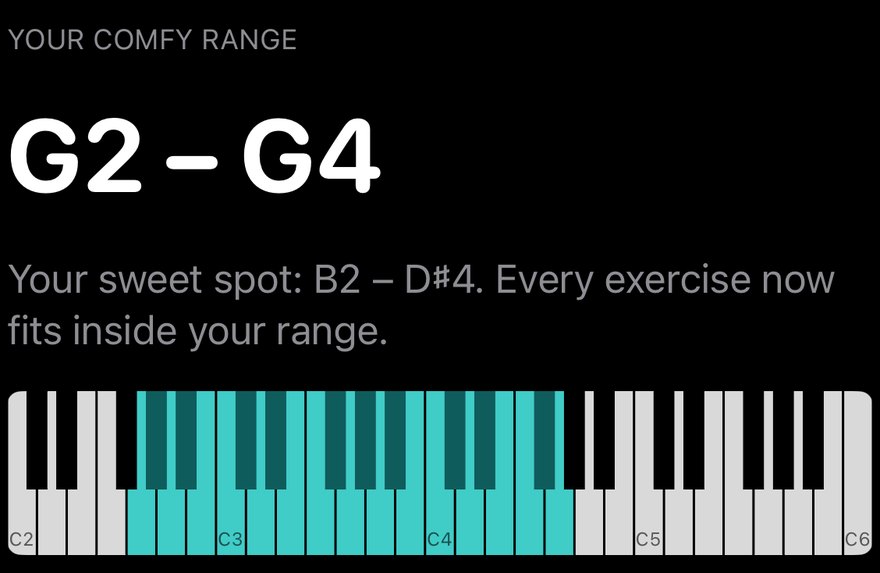
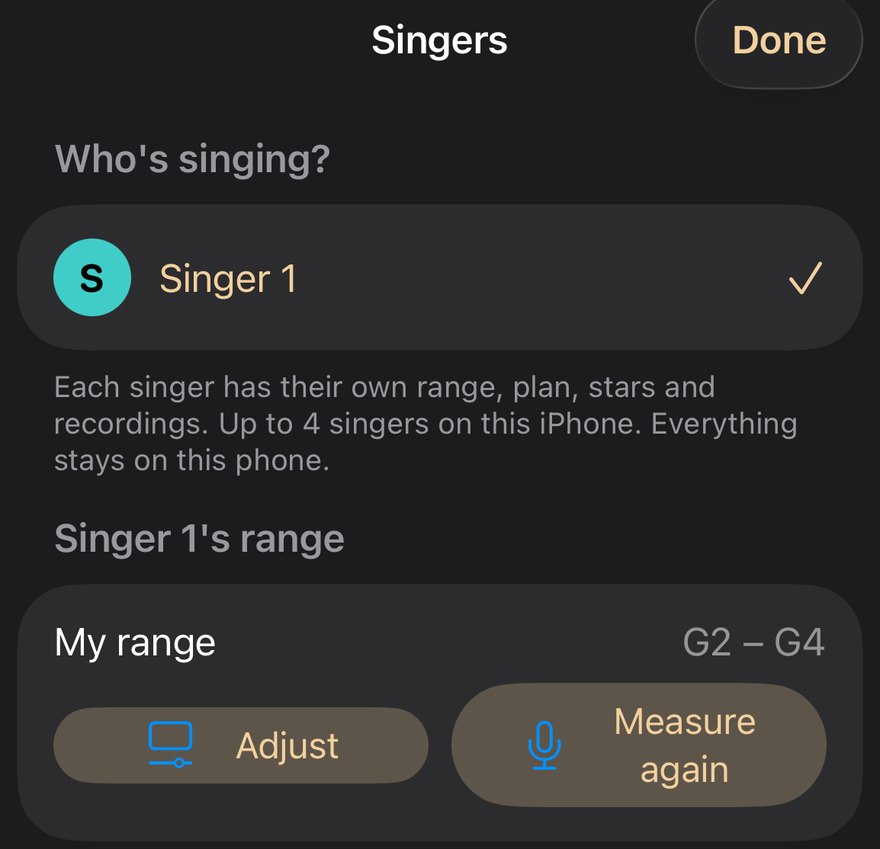
The range check takes about 30 seconds and runs at the start of the app. It listens for held notes, not speech, and shows the notes you can sing comfortably as a lit keyboard. Wrong because you were tired? Measure again, or adjust it by hand. It re-checks itself on every retest day, and each new note you reach is marked.
Stop singing flat after leaps
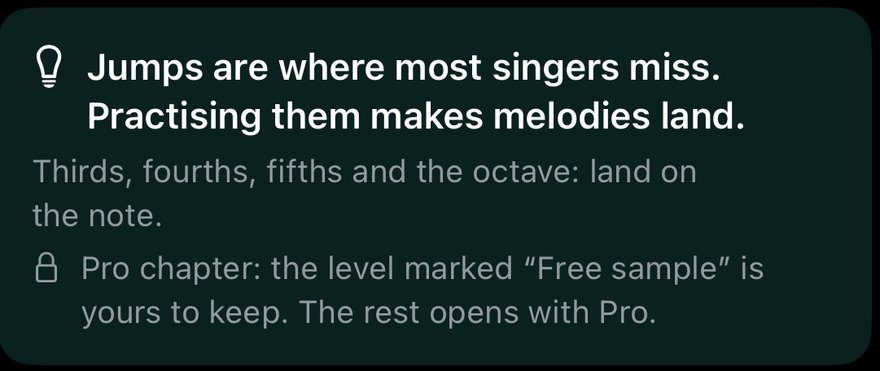
Leaps are where many singers miss. Chapter 3 is about them: thirds, fourths, fifths and the octave. The lane shows where each leap landed, and Stats tells you if your leaps land low and which exercise helps. You hear the target, you see where you landed, and you try again slower.
Practise quietly
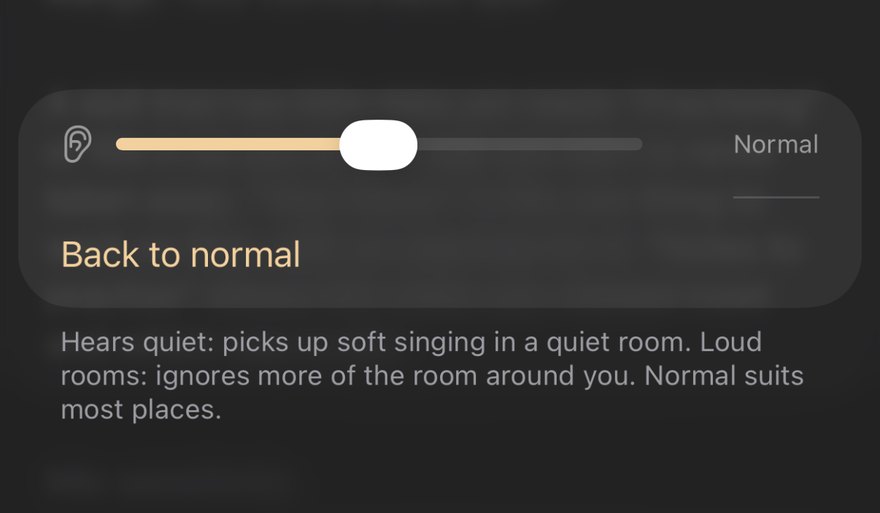
Hums and soft singing count. If the app does not hear a soft voice, change the mic sensitivity to "Hears quiet" from the Help button or from the pause bar. Sing near the phone, and use headphones if others are sleeping.
Learn with a game
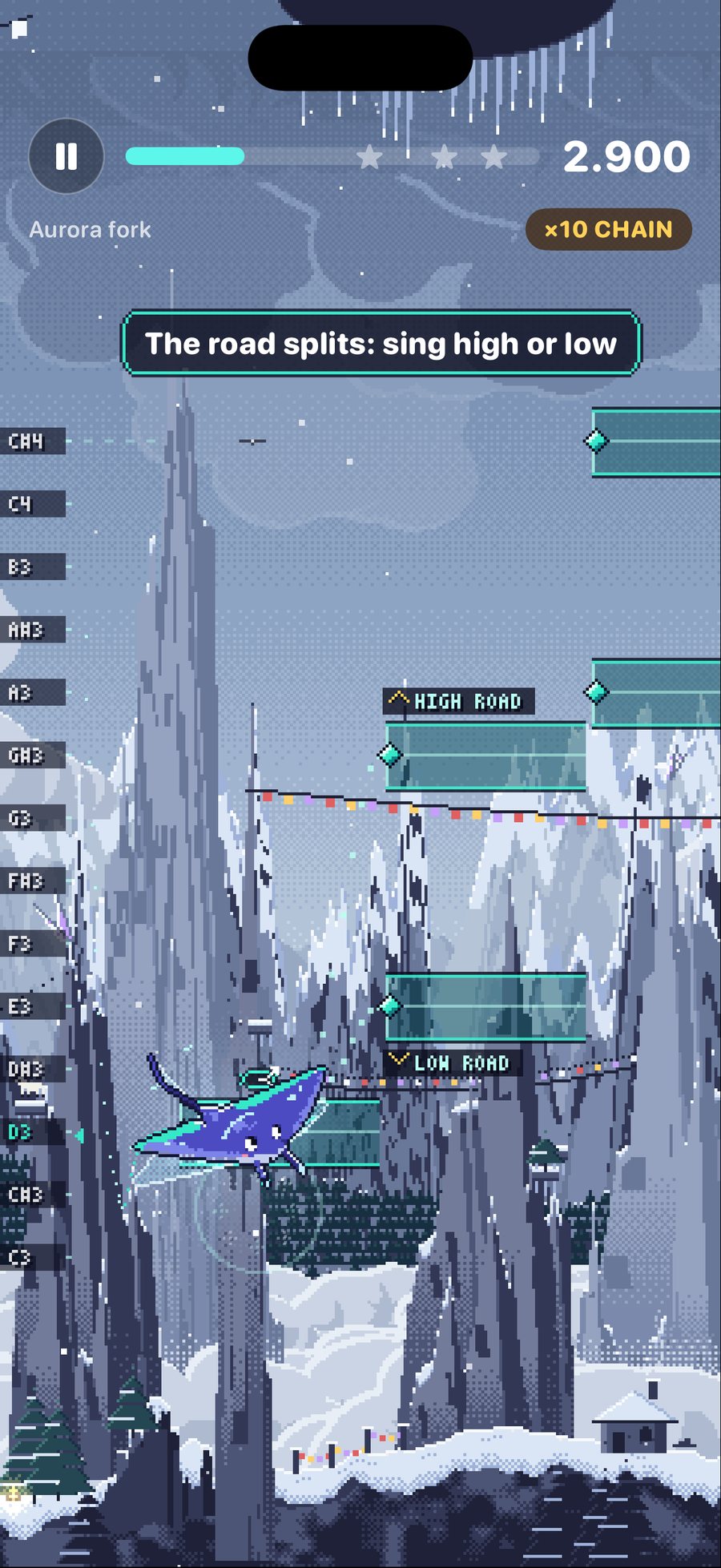
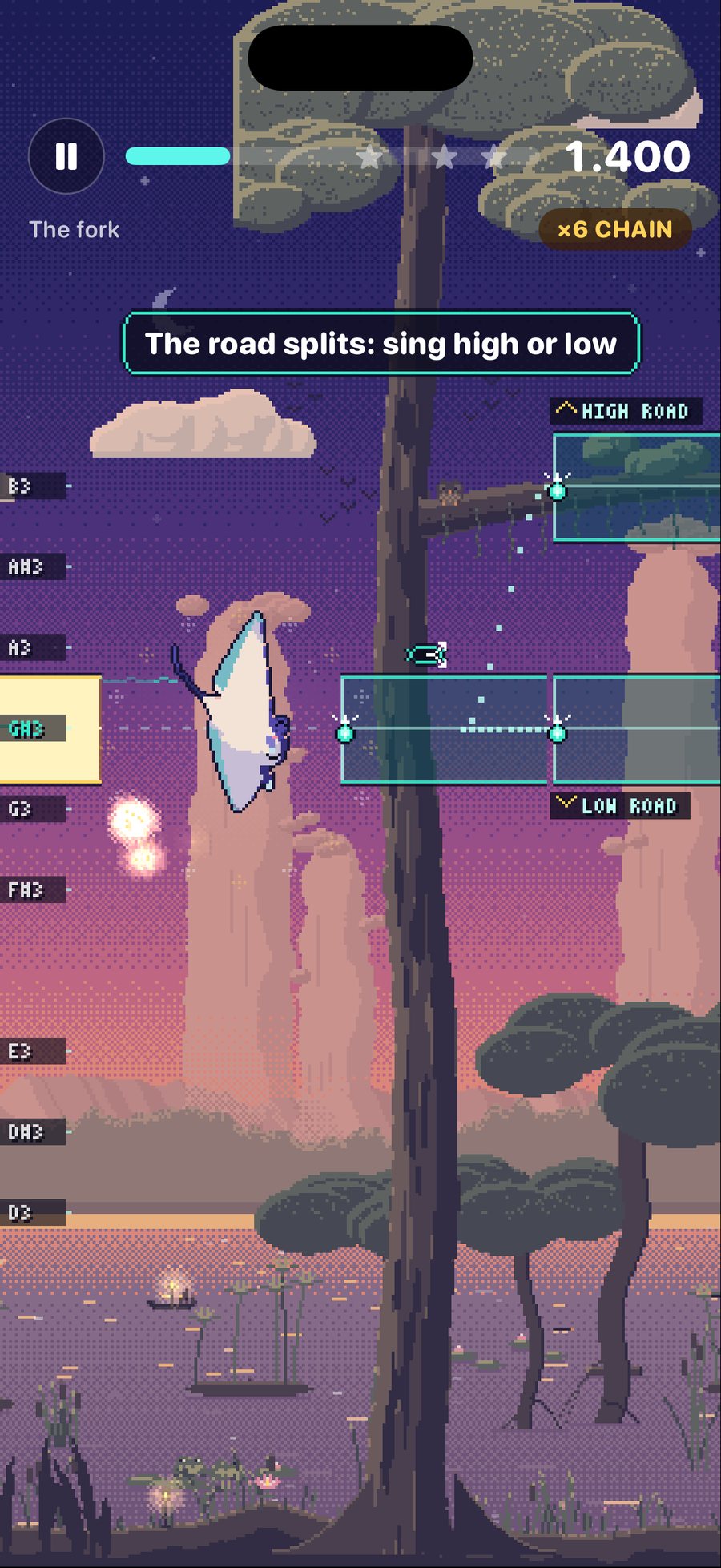
Echo's Glide is a game you play with your voice. Echo, a little manta, rises when you sing higher and sinks when you sing lower. You collect light, take forks in the road, and light lanterns that stay lit. Vibrato is welcome: notes are judged on their centre, and the wings show you when you are a little low or a little high.
See your progress over a month
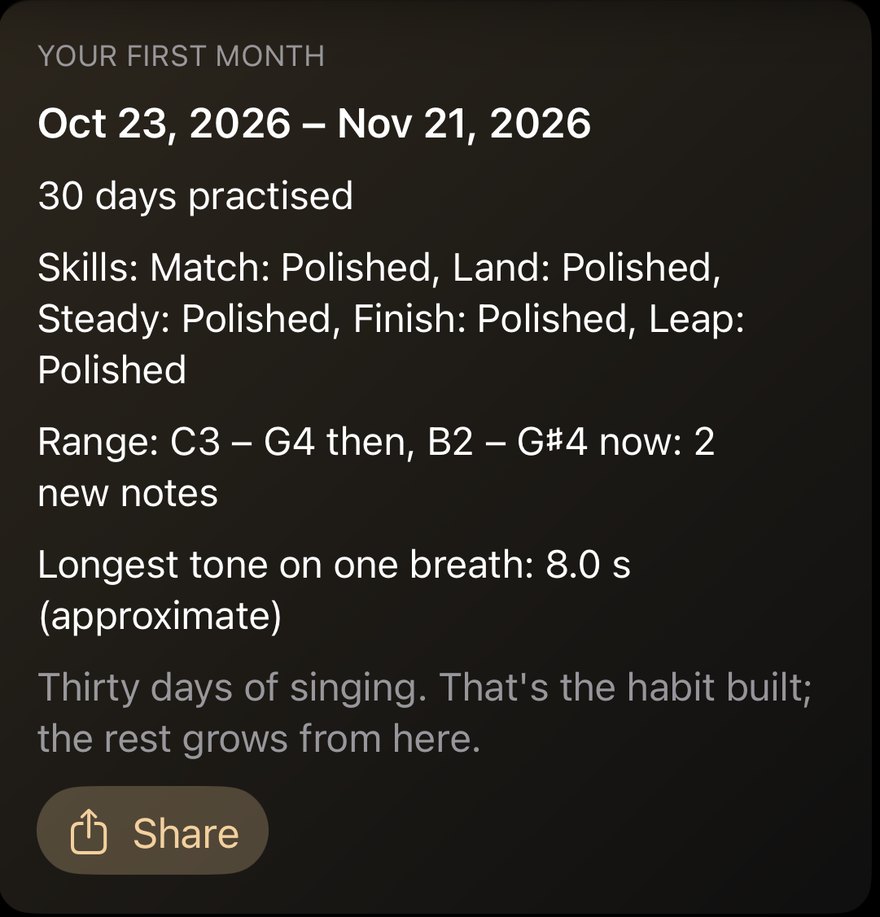
Every seventh plan is a retest day. It checks your range again and plays your Day 1 take next to today's. At 30 days practised you get a diary: your days, your skills, your range then and now, and your longest tone on one breath.
Practise as a family on one phone
The singer chip at the top of Home switches singers. Each of up to four singers has their own range, stars and progress, and it all stays on the phone. Nothing is shared and there is no leaderboard.
Echo's Glide: five worlds
Every level of the plan can be played as a game. Five worlds, each with its own place and its own creatures. The first world is free; each Pro world has a free first level.

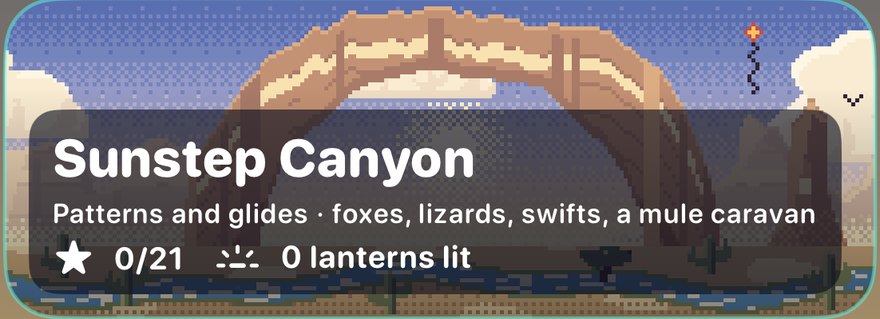


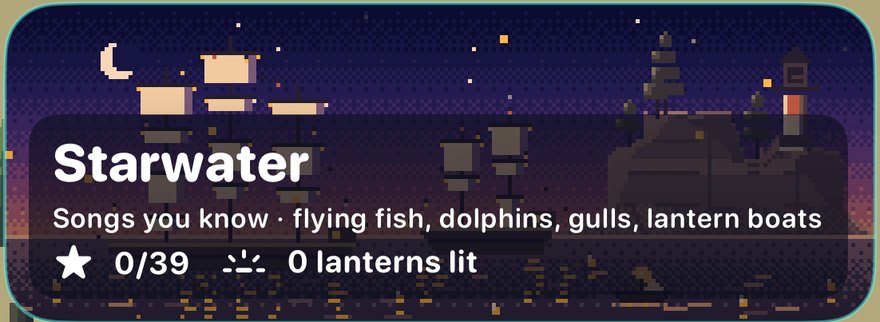
Besides the worlds there is a daily challenge (a tune you may know, with its name shown after you sing it), Free glide (no lane, no score, sweep high and low to collect light) and a Calm warm-up.
Stats that guide, and how it never shames
Stats looks at your last 14 days of singing, kept on your phone. It is about your own singing only, never a ranking.
- Your focus: the one thing to work on first, with an exercise for it. If nothing stands out, it says "Nothing stands out".
- Where you are: six skills (Match, Land, Steady, Finish, Leap and Range) with pips you earn and never lose.
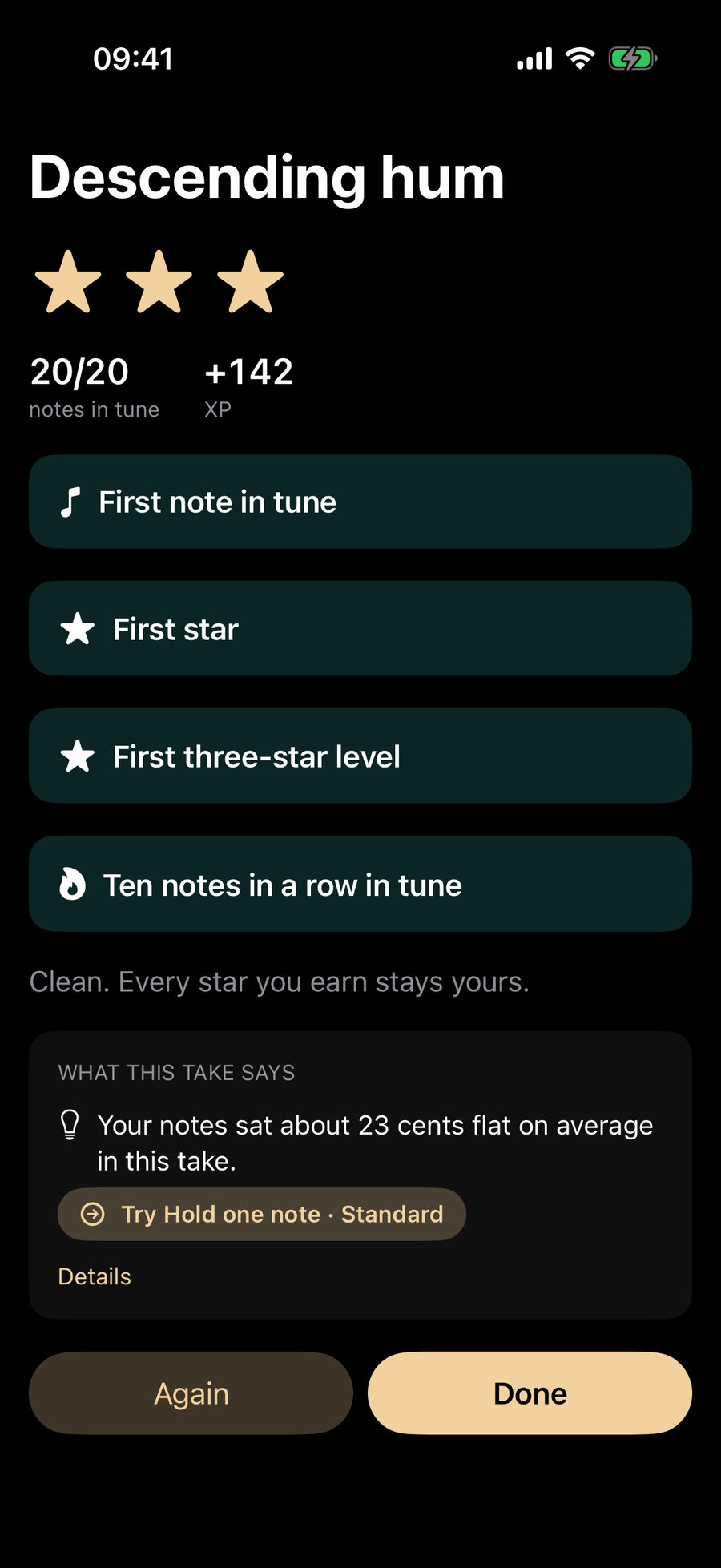
- Notes to practise: the notes you missed most, and which way to aim.
- Milestones: first note in tune, first star, a full week, a new note in your range.
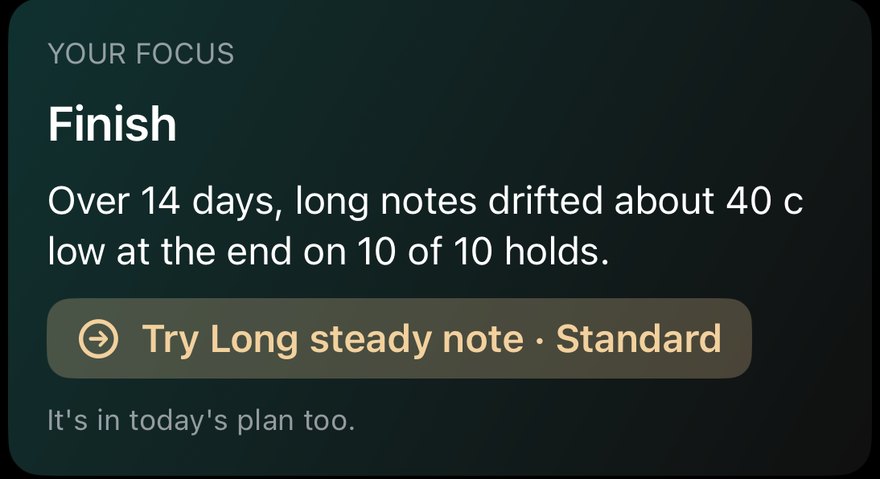
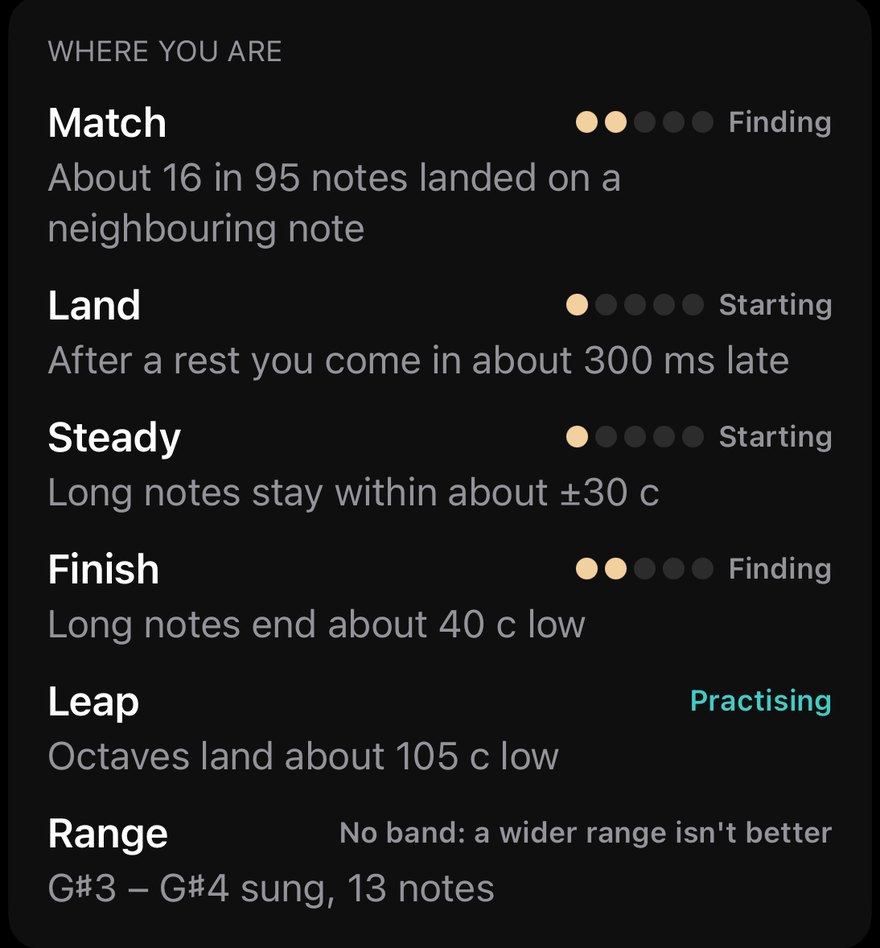
The rules behind it come from what singers told the stores about other apps: nothing you earn is taken away; no lives, hearts or energy stop you practising; vibrato, slides and octave-away notes are not counted as errors; a skill that has little data yet says "Practising" or "Fills in as you sing", never zero. A quiet day is not a failure.
Breathing: what we measure and what we cannot
The breathing warm-ups are sound only: a long hum, one-breath phrases and a paced hum. Stats then shows your longest tone and your longest phrase on one breath, marked approximate, next to Day 1.
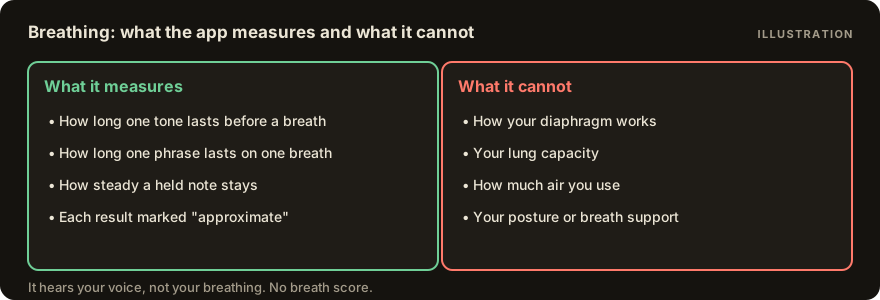
It measures how long your voice lasts. It cannot see your diaphragm, your lung capacity, how much air you use or your posture, and it gives no breath-support or breathiness score. If you feel lightheaded, stop and breathe normally.
Your voice stays on your phone
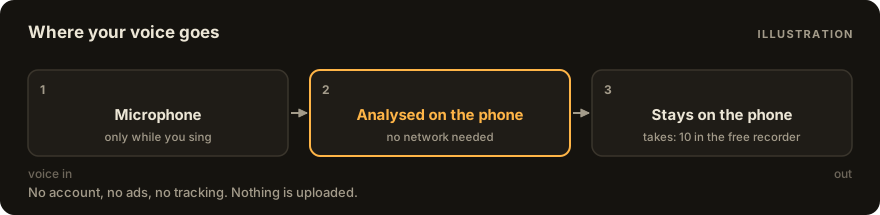
No account, no ads and no tracking. Takes are analysed on the device and never uploaded; the app makes no network requests for your singing. Your recordings sit in the app's own folder and are left out of iCloud backup; you can delete all history and recordings from Settings. The full wording is on the privacy page.
Free and Pro
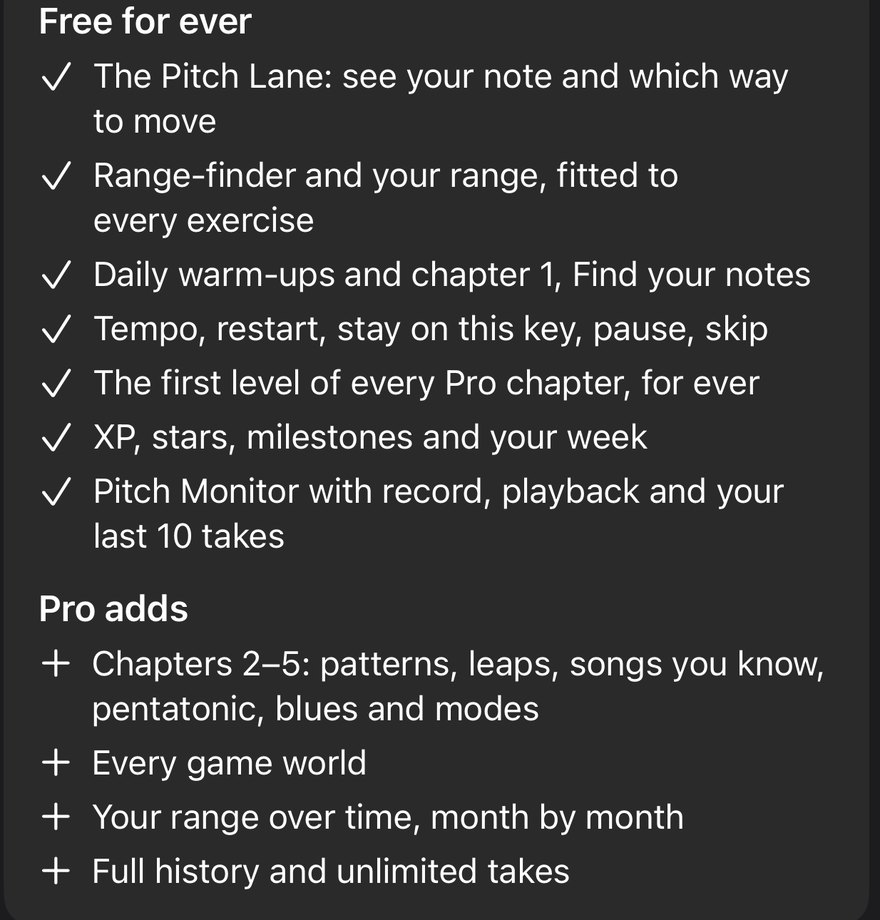
There is no trial of any kind, and nothing you earn is ever taken away.
| Free, for ever | Pro | |
|---|---|---|
| Pitch lane with live direction | Yes | Yes |
| Range check, your range | Yes | Your range over time, month by month |
| Daily plan | Daily warm-up and chapter 1 | Chapters 2 to 5 and an adaptive plan |
| Echo's Glide | World 1 and the daily challenge | Worlds 2 to 5 |
| Pace controls: tempo, restart, stay on this key | Yes | Auto-slow after misses |
| Pitch Monitor and recorder | Record, playback, last 10 takes | Full history and unlimited takes |
| A first level of every Pro chapter and world | Free, for ever | All levels |
Pro is $6.99 a month, $29.99 a year or $59.99 once (US prices). Monthly and yearly renew until you cancel in your Apple account settings; the one-time payment does not renew. Restore Purchases is on the paywall.
Languages
English, German, Spanish, French, Italian, Dutch, Portuguese (Brazil) and Russian. Note names follow the language: German uses H and B, Russian uses До Ре Ми, and French can count middle C as Do3.
Questions
Does it work without headphones?
Yes. The guide plays a short note and then listens, so you can use the phone speaker. Headphones keep the guide out of the microphone, and the game suggests them once ("Best with headphones"), but nothing requires them.
Is it for kids?
It is built for people who sing for fun and practice, not for kids' games, and it is not in the Kids category. A parent can set it up for a child as a separate singer, with their own range. Younger voices sit higher; the range check finds where theirs is.
How accurate is it?
We do not publish an accuracy figure, because we have not measured one on enough different voices to stand behind it. What we can say: the pitch reader runs on the phone's microphone, so a noisy room, a covered mic or a second voice can mislead it. Notes are judged on their centre, so vibrato and slides are not counted against you. If the app cannot hear you, tap the "?" and change the mic sensitivity.
Does it need the internet?
No. Singing, the plan, the game and Stats work offline. Only the App Store, for buying Pro, needs a connection.
Which iPhones does it run on?
It is made for iPhone. On iPad it runs in the iPhone window for now; a native iPad layout is planned later.
Do I need an account?
No. There is no account, and nothing to sign in to.
Is there a free trial?
No. There is no trial of any kind. The free part is permanent and has no time limit; Pro adds more content and your history. That means no charge can surprise you after a trial ends.
What do I get free, for ever?
The pitch lane, the range check, daily warm-ups and chapter 1, tempo and restart controls, the first world of the game and the daily challenge, the Pitch Monitor, a recorder with your last 10 takes, and a free first level of every Pro chapter and world.
Will it say I am a soprano or a tenor?
No. It shows the notes you can sing and never gives you a voice-type label.
Does it work with AirPods or a headset?
Yes, with a caution: some Bluetooth headsets give the microphone a lower quality, and the phone's own microphone is often better for pitch. If it cannot hear you with AirPods, switch to the phone's microphone or to wired headphones.
Where do my recordings go?
They stay in the app on your phone. They are left out of iCloud backup and are never uploaded. You can delete them in Settings.
Can several people use one phone?
Yes. Up to four singers, each with their own range, stars and progress, switched from the singer chip on Home.
Is it a replacement for a teacher?
No. It is a daily practice partner: it shows what you did and gives you something to do next. A teacher can hear and fix things an app cannot.
What if singing hurts?
Stop. If singing hurts, or your voice stays hoarse for more than a couple of weeks, see a doctor.
Read next
- The Echo Sing manual: every screen and control, with pictures, and troubleshooting.
- Privacy: what stays on your device.
- Support: bugs, ideas and questions.
- All apps