
OneMove Vocal Console · AUv3 for iPad and iPhone
Fourteen modules. One move each.
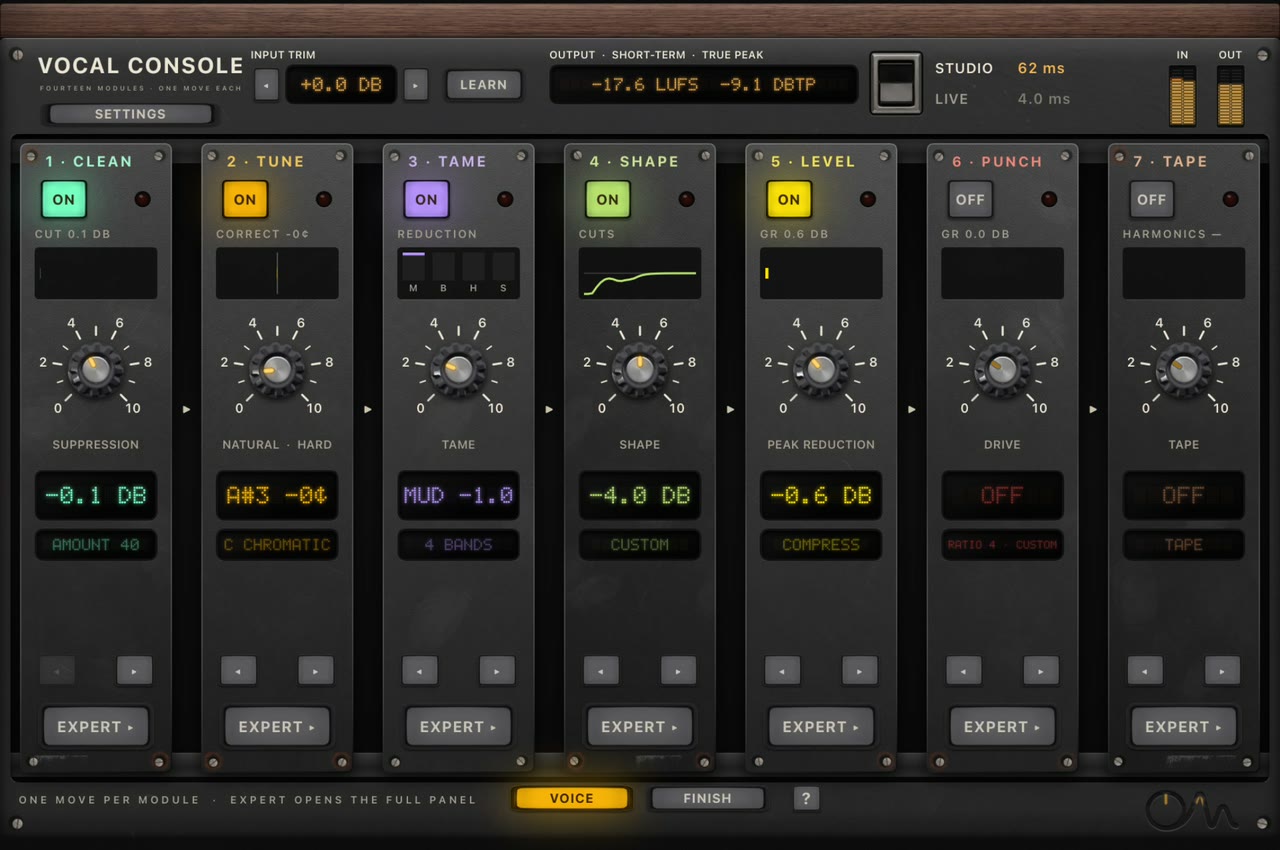
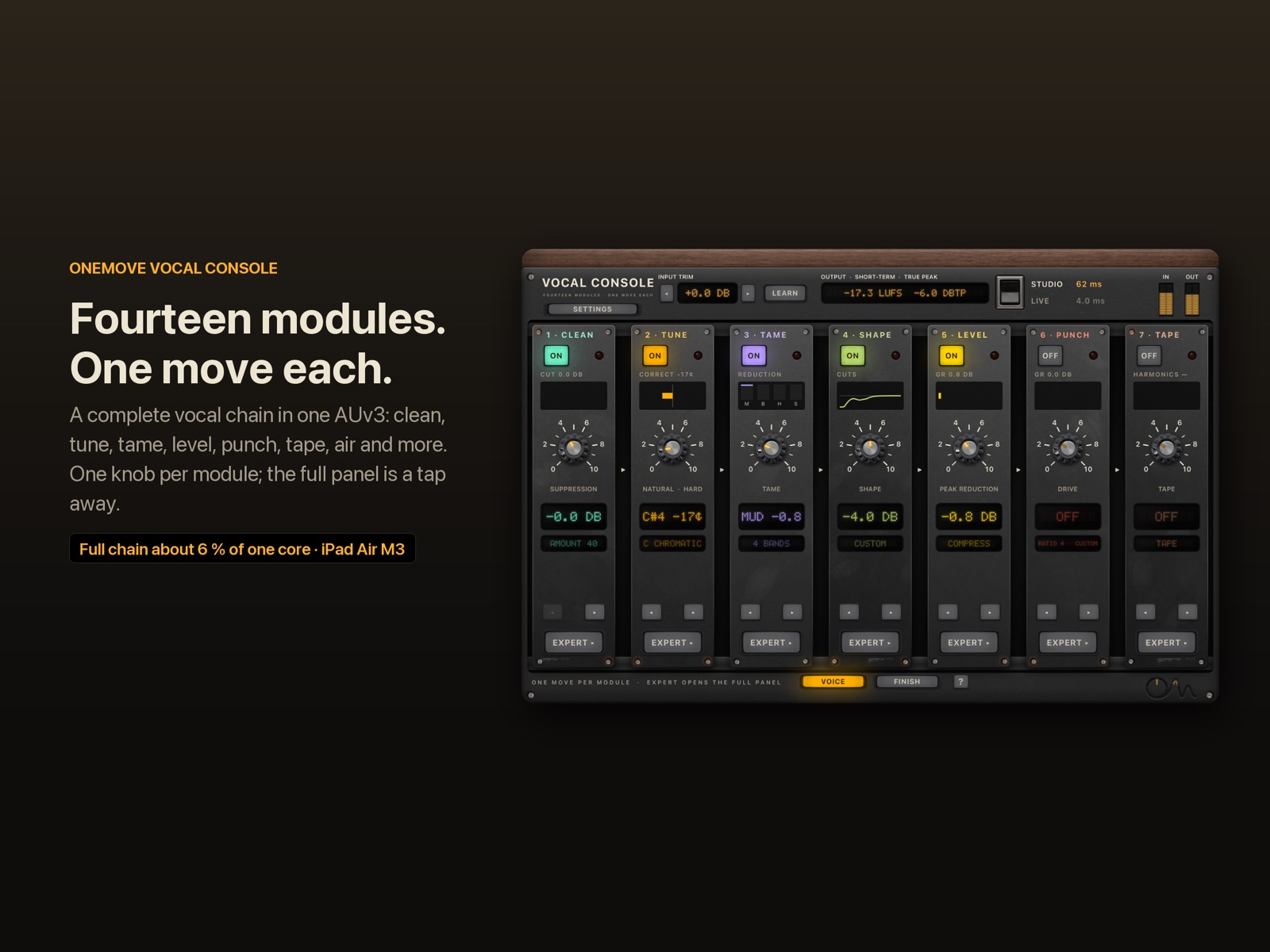
A complete vocal chain in one plug-in: noise reduction, pitch correction, dynamic EQ, two classic-style compressors, saturation, a vocal rider, air, loudness and a plate reverb. Each module has one knob that does the right thing. The full panel is a tap away.
Full chain on one core
All 14 modules on an iPad Air M3 (audio thread, 48 kHz). Measured before Space was added; Space adds about 0.3–0.4 % of one core on the Mac.
How we measuredLive mode latency
Sing and monitor through the whole chain. Studio mode trades delay for the best quality.
What the numbers meanNeural noise reduction, on the device
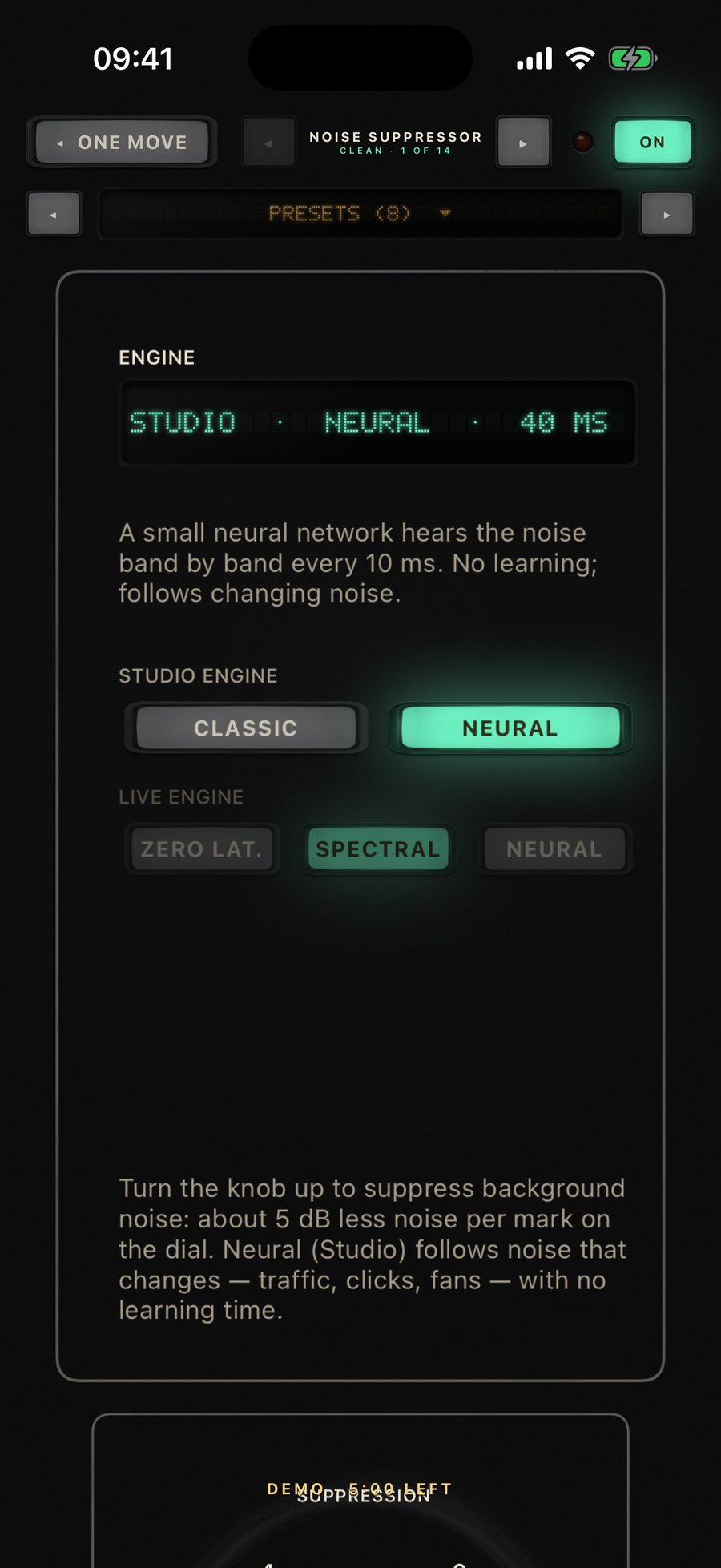
Hiss, fans, clicks and traffic removed between phrases in our tests. Nothing leaves your iPad.
The benchmarkWhat is OneMove Vocal Console?
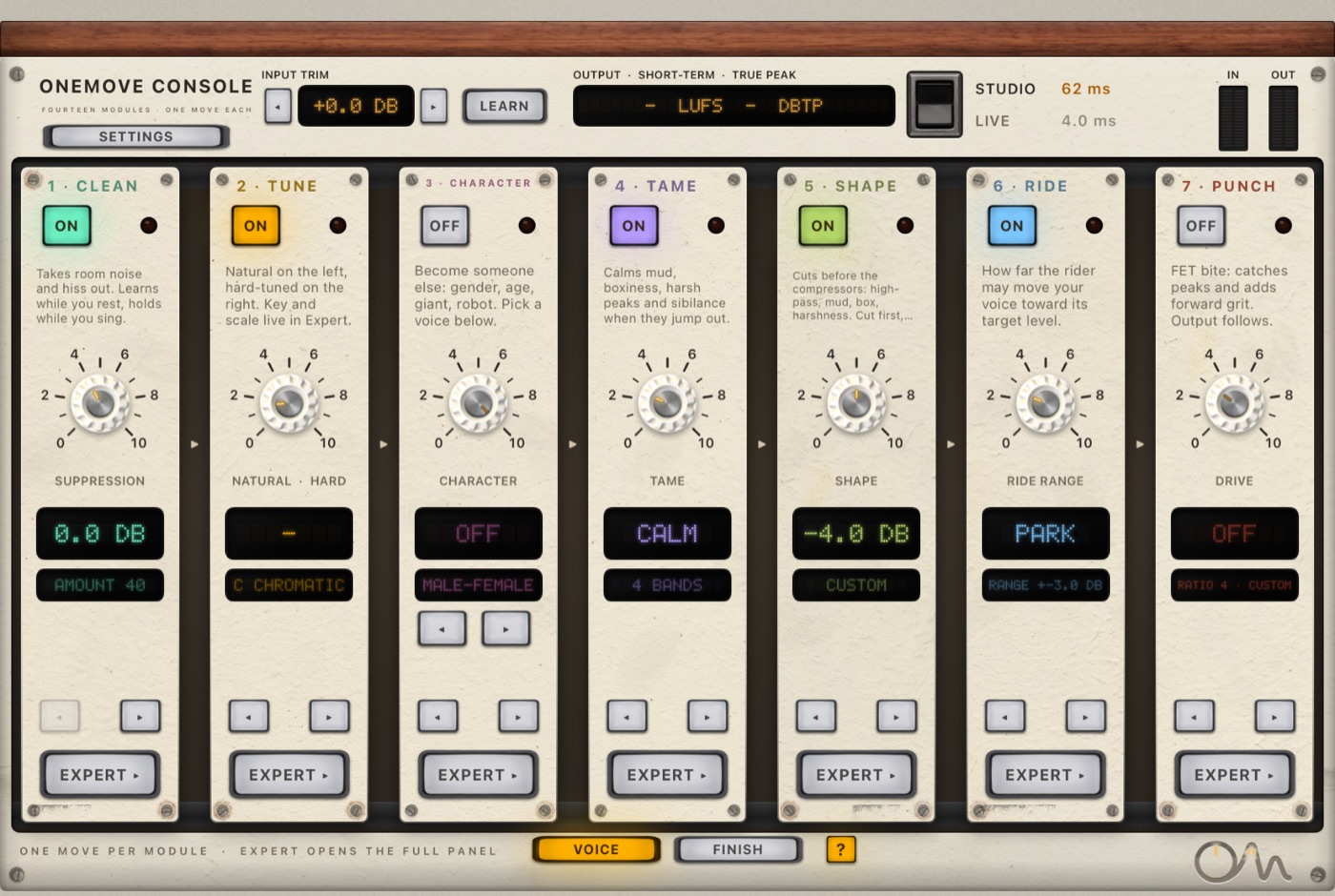
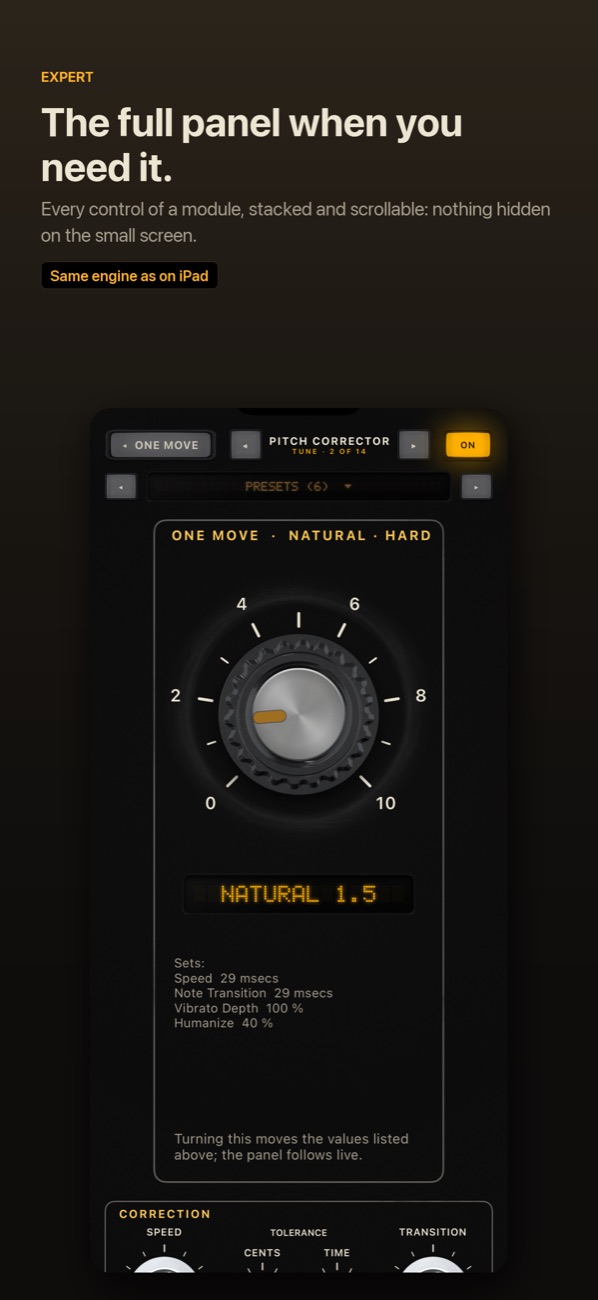
OneMove Vocal Console is a vocal chain in one AUv3 plug-in for iPad and iPhone, made by OneMove Audio. It replaces the five or six plug-ins a vocal usually needs with fourteen modules in one window. Each module opens as a single knob, its One Move. When you want more, Expert opens the module's full panel.
It runs inside the hosts you already use, such as Logic Pro for iPad, Cubasis, AUM, Loopy Pro, GarageBand and Beatmaker, and in its own app, where you can try it on two demo vocals without opening a host.
Hear it on a real voice
The same take, before and after the default Natural Vocal chain.
Natural Vocal chain
A dry home-style recording with an added fan and clicks, then the Natural Vocal chain: clean-up, gentle tuning, de-harshing, levelling, tone and a short plate. Before and after are set to the same loudness, so you hear the change, not a level jump.
"Lost_Pella" by queeniemusic (ccmixter.org/files/queeniemusic/65508), licensed CC BY 3.0 (creativecommons.org/licenses/by/3.0). Excerpt, processed by OneMove Vocal Console.
More examples are on each module page.
The fourteen modules
In the default order. Move any module with ◂ ▸, or switch it off with its lamp.
01 · Noise suppressor
Clean
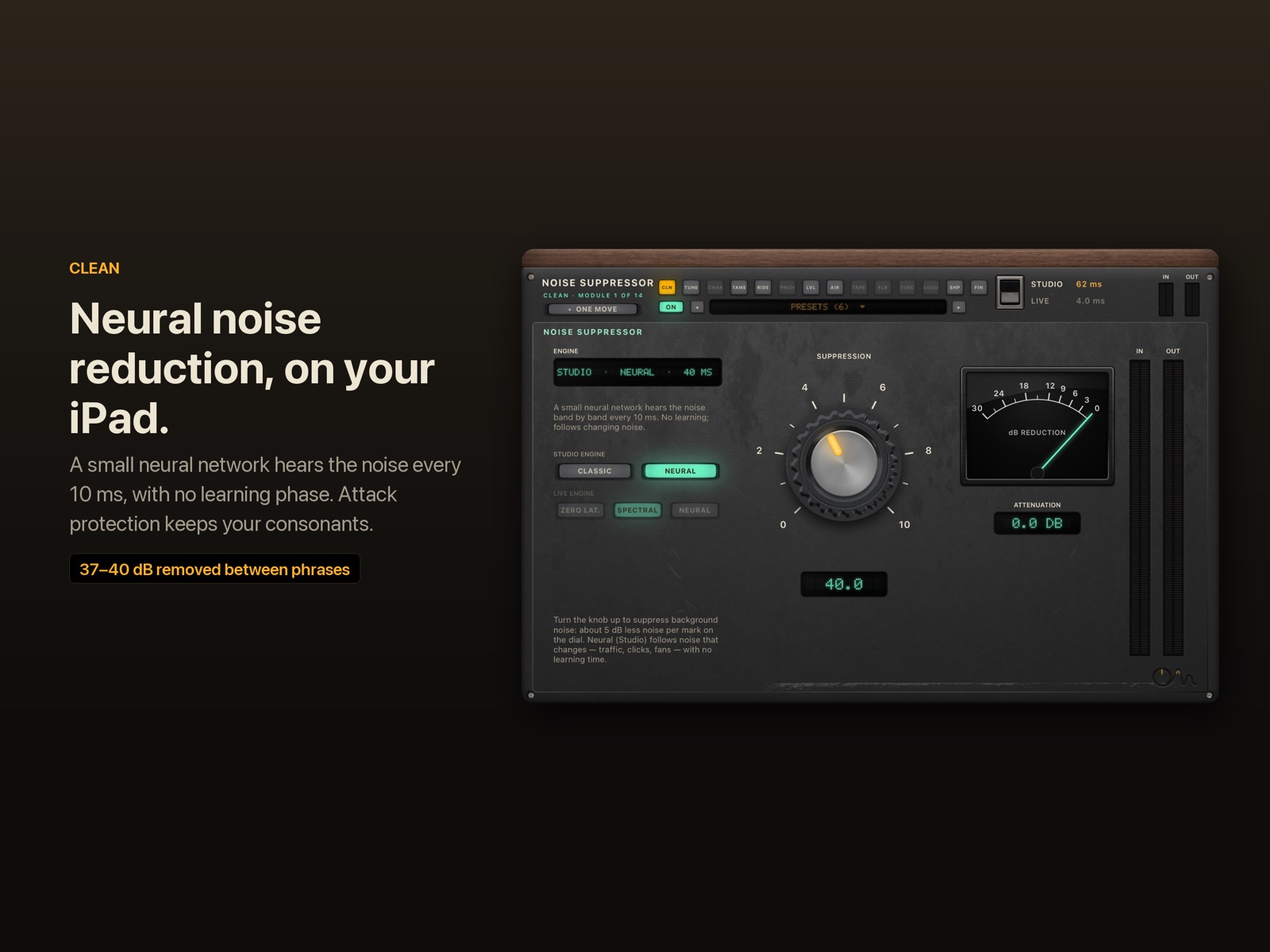
Takes room noise, hiss, fans and traffic out of the voice, on the device.
02 · Pitch corrector
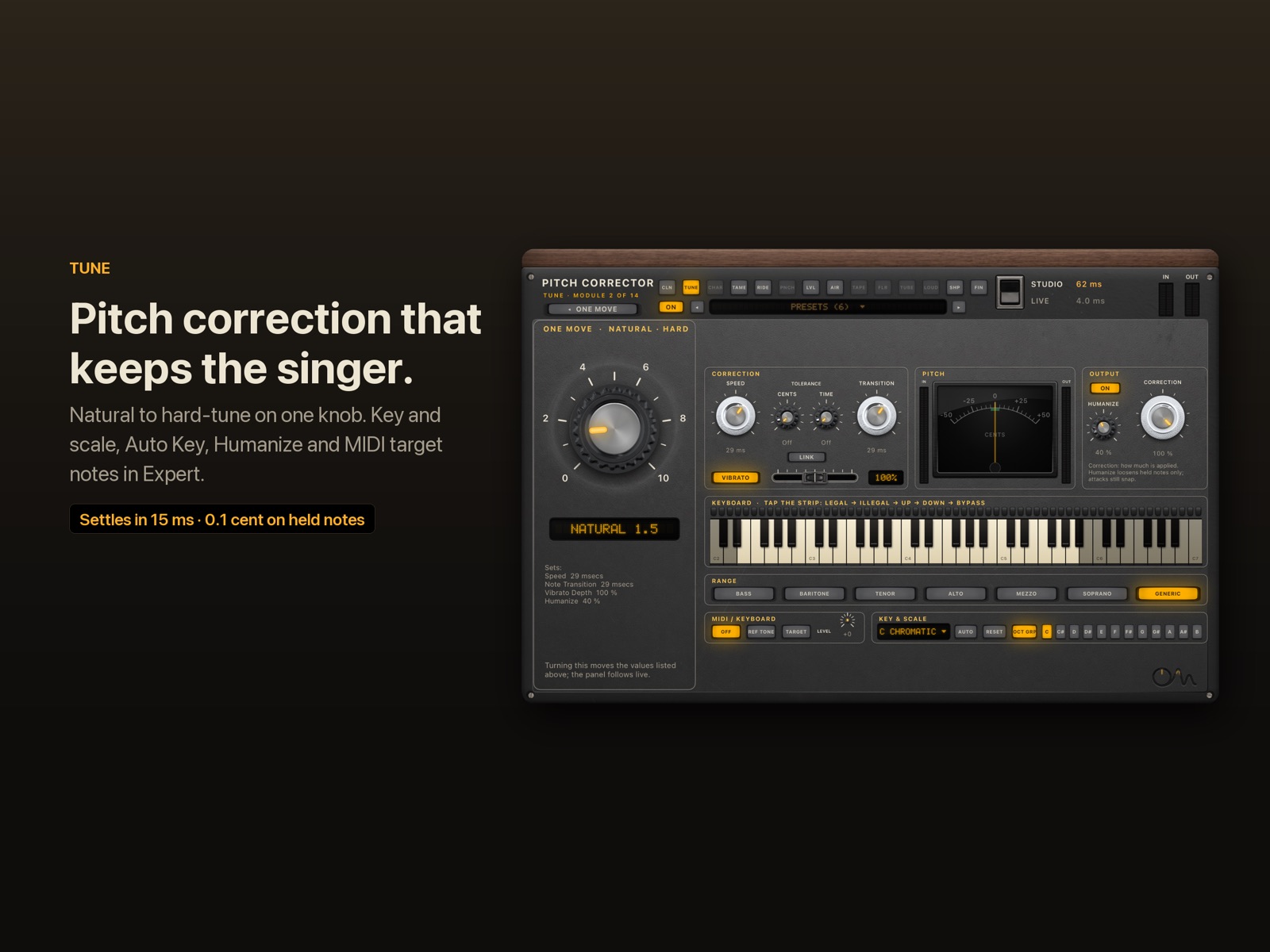
Tune
Real-time pitch correction, from a natural touch to the hard-tuned effect, in key and scale.
03 · Dynamic EQ and de-esser
Tame
Calms mud, boxiness, harsh peaks and sibilance only when they jump out.
04 · Corrective EQ
Shape
Cuts before the compressors: a high-pass filter plus mud, box and harshness cuts.
05 · Optical compressor (2A-style)
Level
Optical levelling: smooth, slow and program-dependent, like the classic 2A-style opto.
06 · FET compressor (76-style)
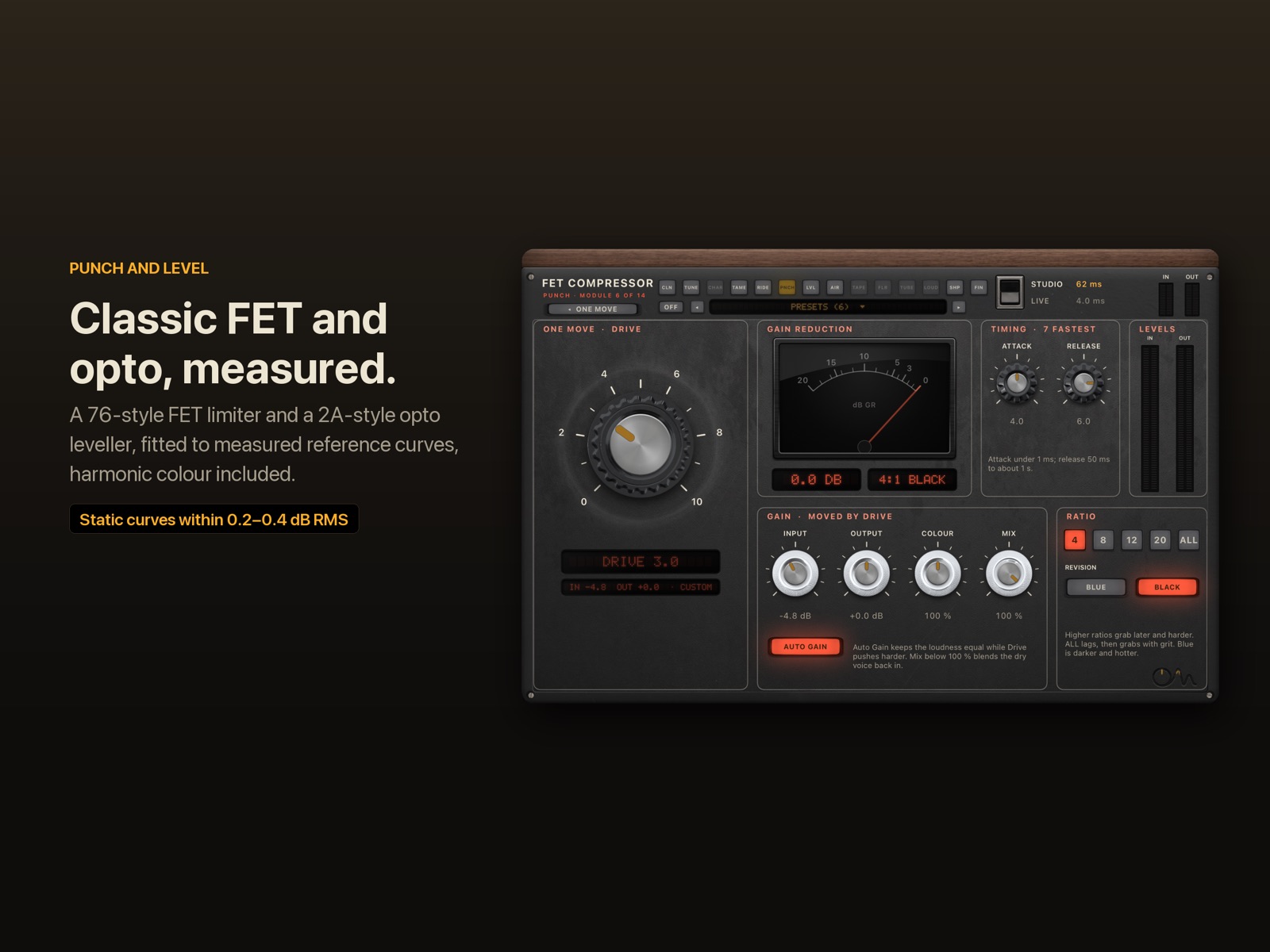
Punch
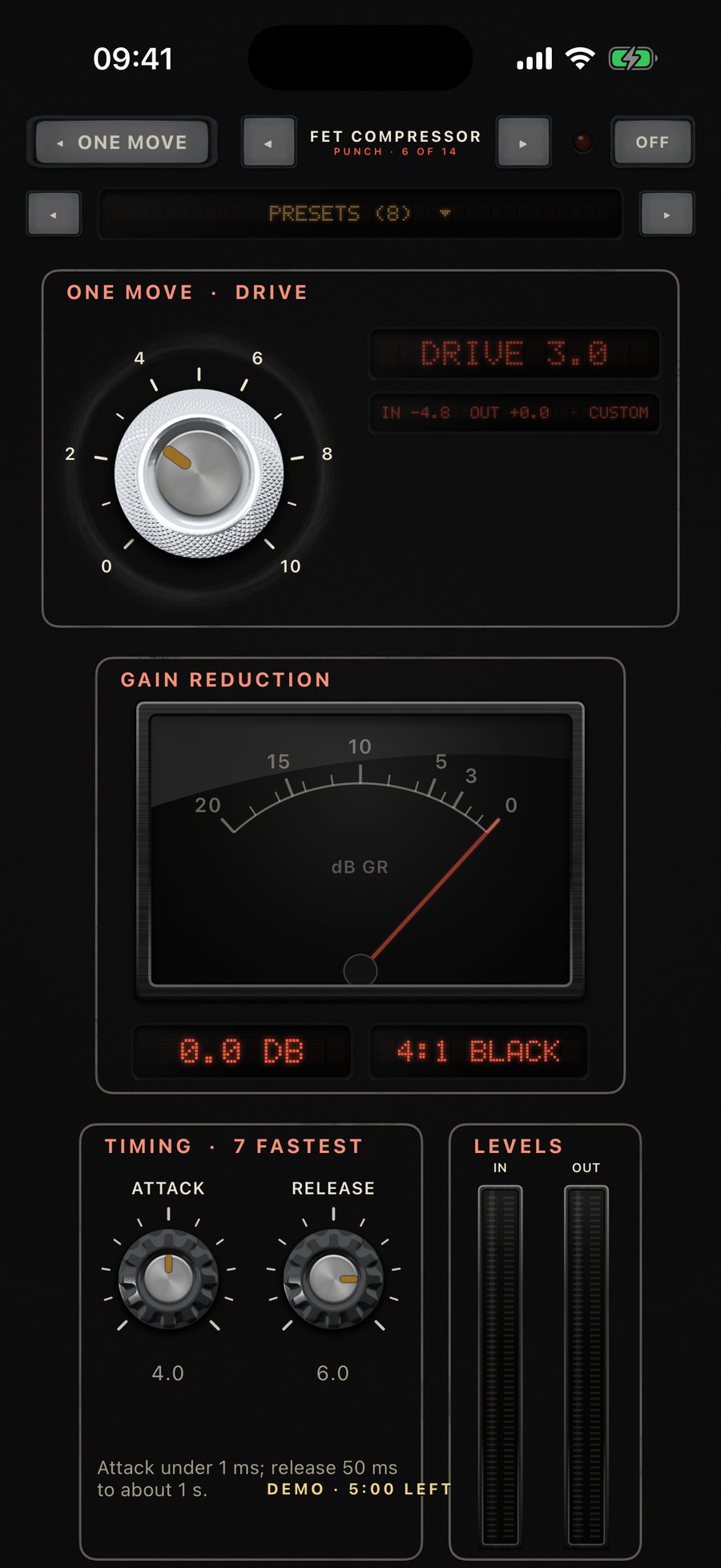
FET bite: catches peaks fast and pushes the voice forward, with the classic all-buttons mode.
07 · Tape saturation
Tape
Tape glue after the compressors: rounds harsh peaks and adds warmth at the same level.
08 · Post-compression gate
Floor
Keeps the gaps quiet: compression lifts hiss between phrases, Floor pulls it back down.
09 · Vocal rider
Ride
Rides the vocal fader for you, toward a target level, following the music if you feed it.
10 · Tube saturation
Tube
Even-order valve harmonics: thicker, warmer, more analogue, at the same level.
11 · Voice character
Character
Become someone else: gender, age, giant, robot, vocoder or whisper. Pick a voice and turn it up.
12 · Air enhancer
Air
Opens up the top: quiet air is lifted, loud air is left alone.
13 · Loudness
Loud
Louder on phones and laptops without squashing: tilt, body, presence and peak shaving.
14 · Tone EQ and Space
Finish
Final tone, a gentle smile that brings back body and air, plus Space: a plate reverb and a doubler.
Studio for mixing, Live for singing
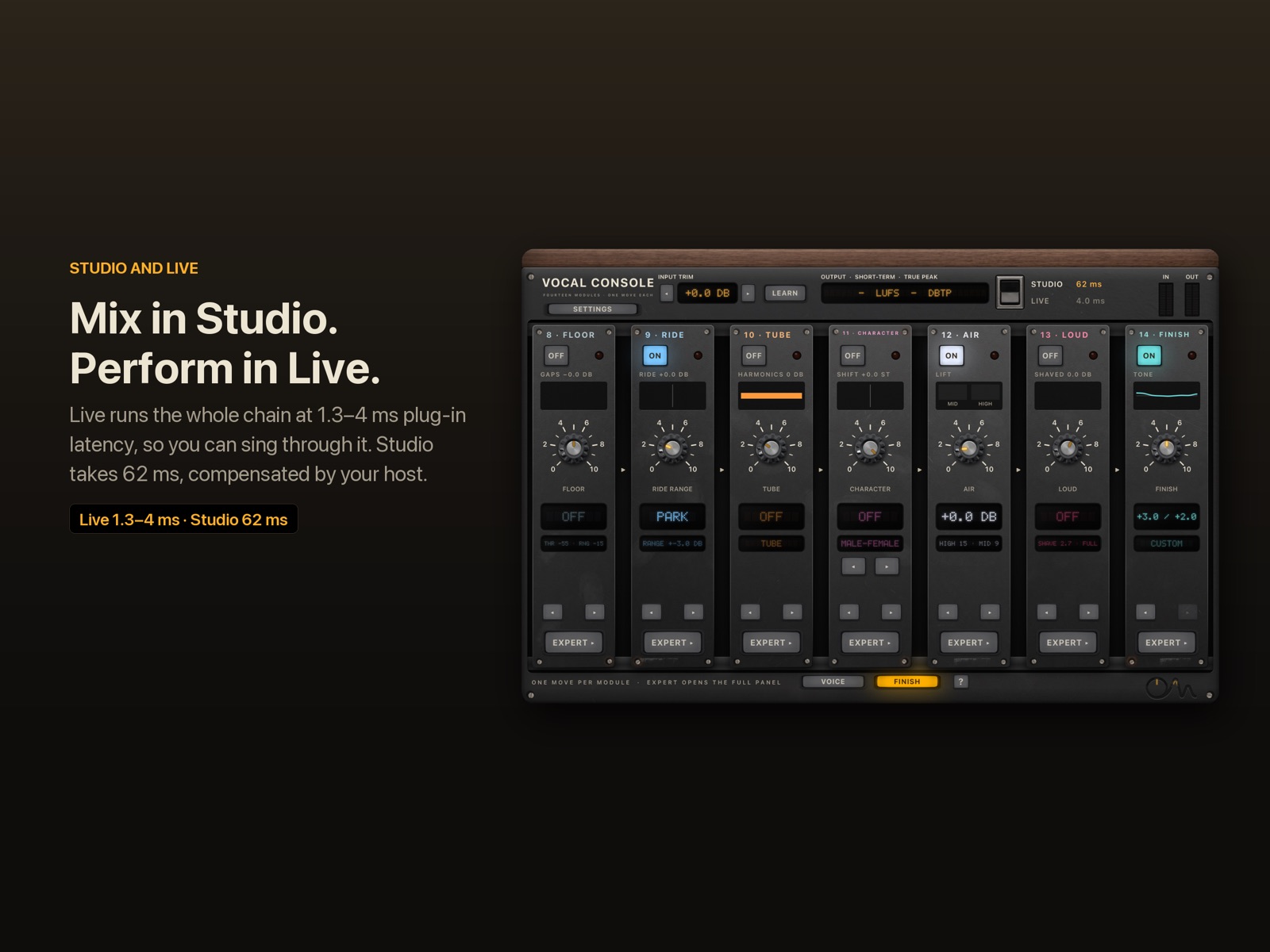
One switch picks the engine for the whole chain. The plug-in reports its exact latency to the host, so the vocal stays in time.
| mode | plug-in latency at 48 kHz | use it for |
|---|---|---|
| Live, spectral Clean (default) | 4.0 ms | tracking and performing with monitoring |
| Live, zero-latency or Neural 0 ms Clean | 1.3 ms | the lowest delay |
| Studio, neural Clean (default) | 61.6 ms, compensated by the host | mixing: the strongest noise reduction |
| Studio, classic Clean | 32.3 ms | mixing with less delay |
Why pitch correction and noise reduction need time · Full specifications
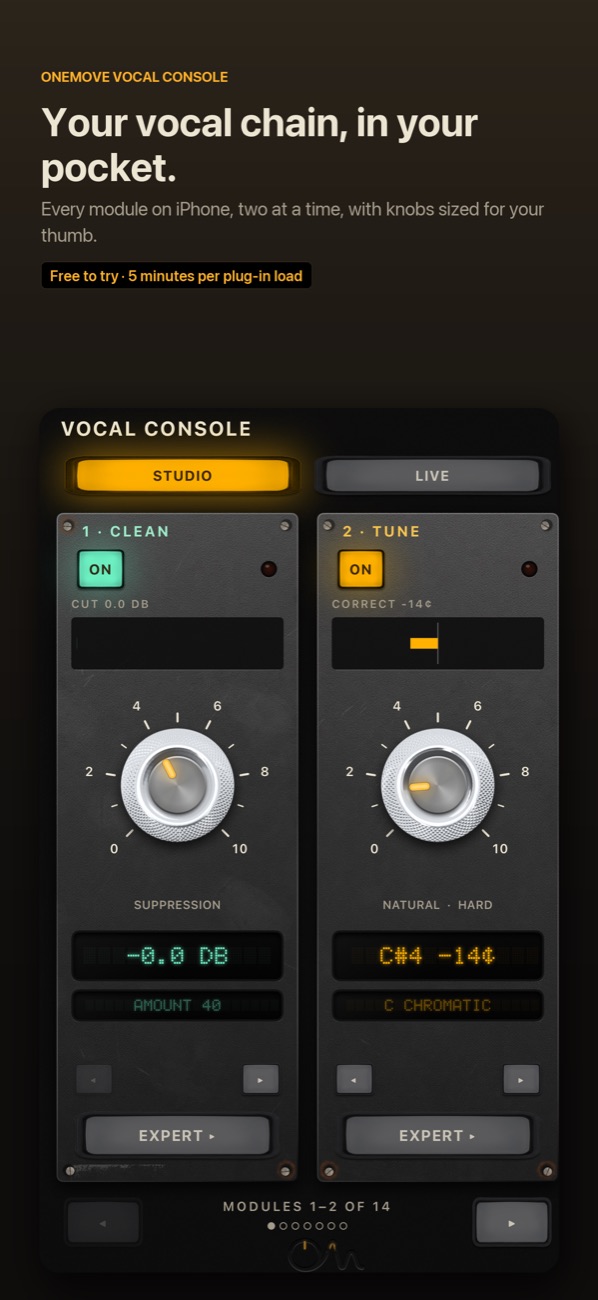
On iPad and iPhone
Free to try
Free to try, then $19.99 once
- Every module works in the demo: nothing is locked or hidden.
- 5 minutes of real-time processing each time the plug-in loads. Reload it for another 5 minutes.
- Bounces and exports pass through unprocessed until you unlock.
- One in-app purchase of $19.99 unlocks the full version for iPad and iPhone. No subscription.
Questions people ask
What is the best vocal chain plug-in for iPad? It depends on what you need. If you want the whole chain in one window, with low CPU and a Live mode for singing through it, that is what OneMove Vocal Console is built for. Our comparisons say where separate plug-ins still do more.
Does it work in Loopy Pro? Yes. It loads as an AUv3 effect. Loopy Pro has no side-chain input for AUv3 effects, so the rider can take the music through Key Link instead. See hosts and setup.
Is it a subscription? No. It is free to try, and one purchase of $19.99 unlocks it.
More in the FAQ.