
Clean: noise reduction for vocals
Module 01 of 14 · Noise suppressor
- One Move knobSuppression
- LatencyStudio 61.6 ms total · Live 1.3–4 ms
- CPU, iPad Air M31.2 % (6.2 % with the model thread)
- Default position1 of 14, before Tune
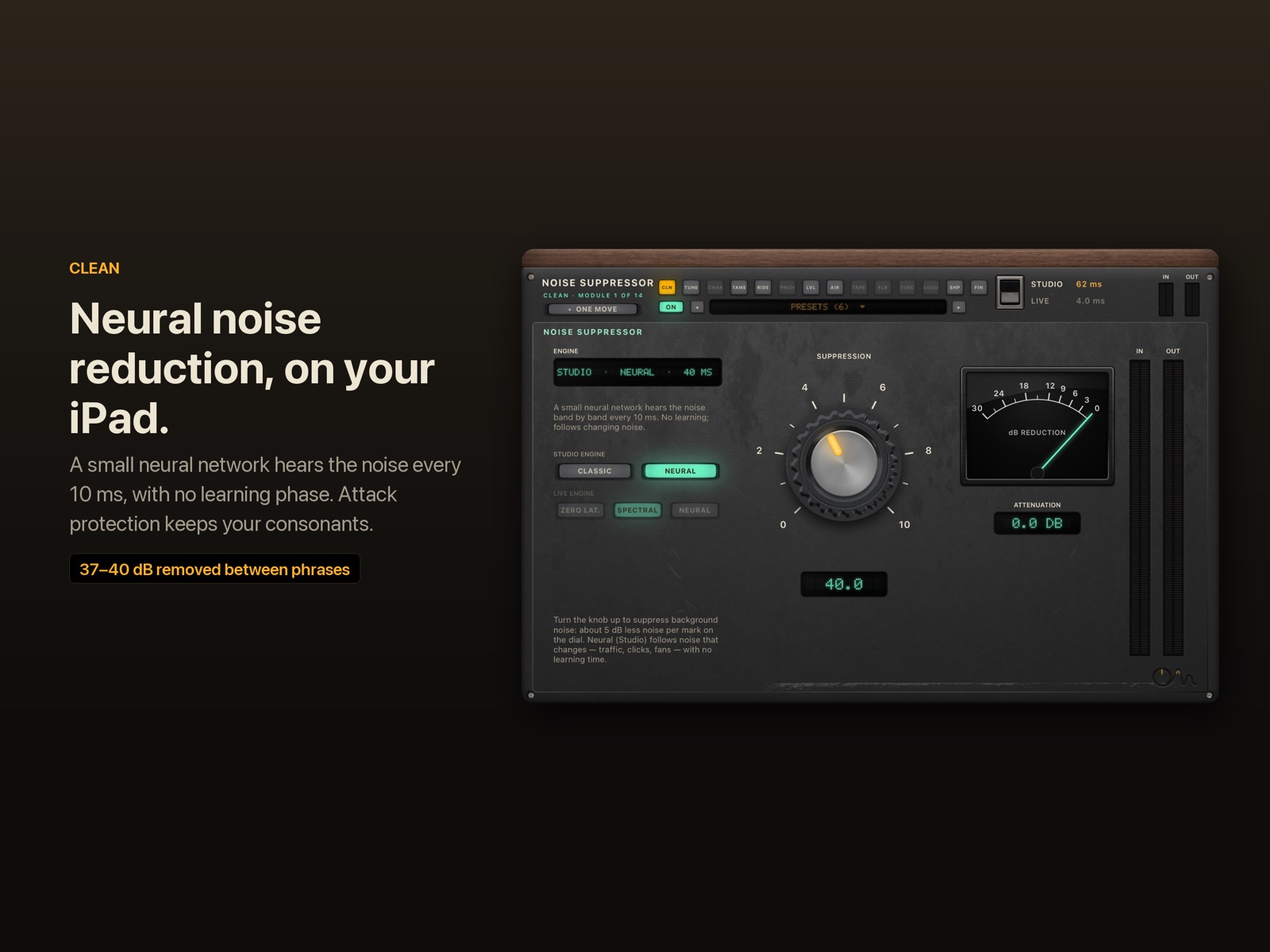
Clean takes room noise, hiss, fans and traffic out of a vocal with one knob, and it runs entirely on your iPad or iPhone. In Studio mode it uses a small neural network that follows noise as it changes. In Live mode it uses fast engines with 0–2.7 ms of delay of their own, so you can sing through it.
Hear it
Clean: fan noise
We added a room fan and a few clicks to a demo vocal. Clean removes them on the device and keeps the voice intact (neural engine, Studio mode, Laptop Mic preset). Before and after are set to the same loudness, so you hear the change, not a level jump.
"Lost_Pella" by queeniemusic (ccmixter.org/files/queeniemusic/65508), licensed CC BY 3.0 (creativecommons.org/licenses/by/3.0). Excerpt, processed by OneMove Vocal Console. Generated fan noise added for this demo.
The One Move: Suppression
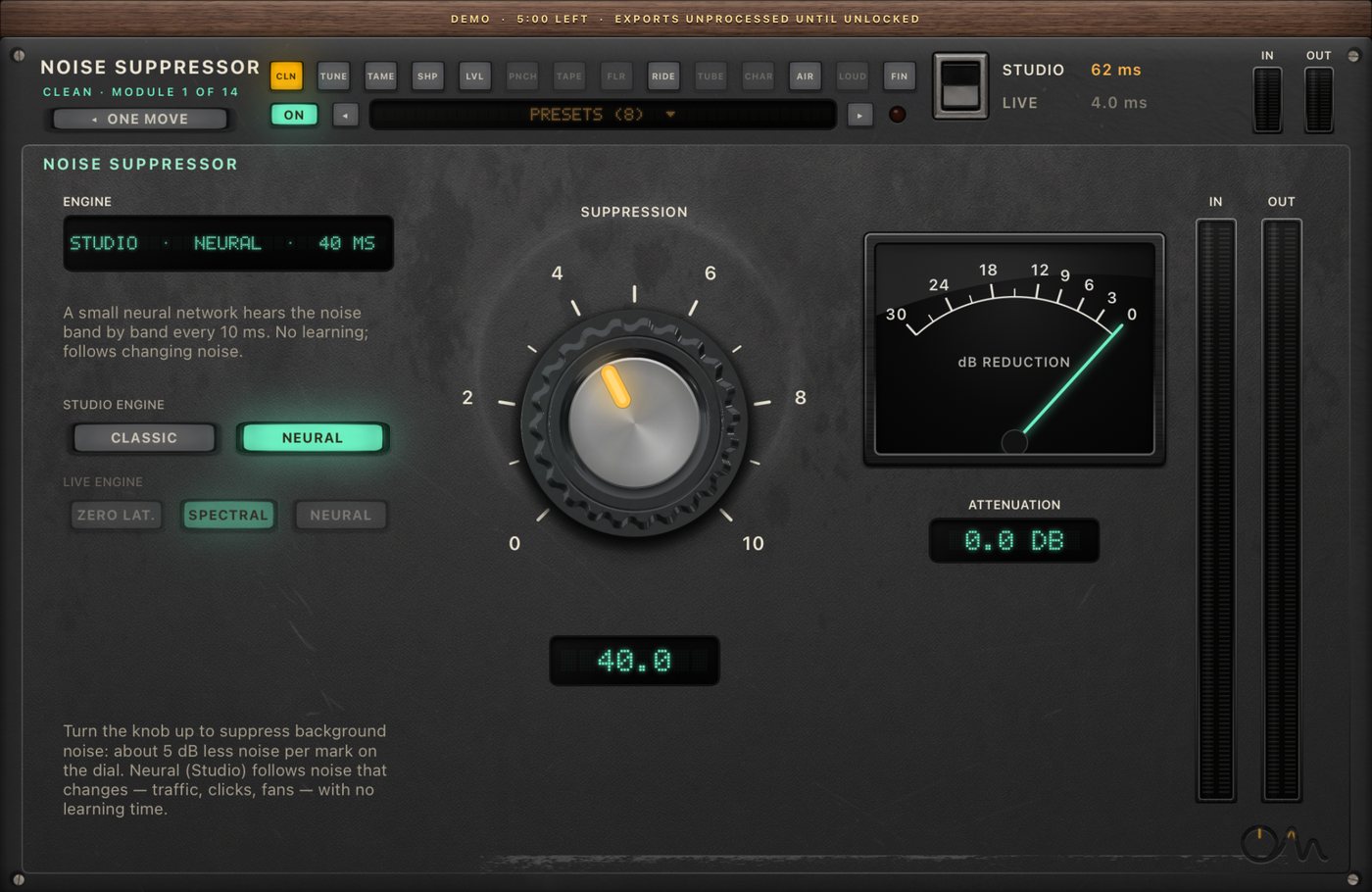
Turn the knob up to remove more noise: about 5 dB less noise for each mark on the dial. At 0 the voice passes untouched, delayed only by the chain's fixed latency.
- Neural (Studio): the knob sets how much of the denoised voice replaces the original, in decibels: 50 removes about 25 dB, 100 removes everything the model calls noise.
- Classic and Live engines: the knob moves the threshold, the depth and the range of the suppression together.
Expert
| control | what it does |
|---|---|
| Suppression | the same control as the knob (0–100) |
| Studio Clean Engine | Neural (default): learned noise reduction that adapts at once, no learning phase. Classic: a spectral suppressor that learns the noise floor while you rest |
| Live Clean Engine | Spectral (default, 2.7 ms), Zero latency (a filter-bank expander, 0 ms) or Neural 0 ms (the neural model steering the zero-latency filter bank) |
| Attenuation meter | how much noise energy is being removed right now, 0 to −48 dB |
| In / Out meters | the level before and after Clean |
Attack protection (Studio). Neural noise reduction can open a frame late on a hard attack out of silence, which sounds like a chopped first consonant on gated or heavily compressed vocals. Clean looks ahead within its own delay and lets real onsets through untouched. On a gated, compressed rap vocal this cut the chopped onsets from 48 to 20.
Specs
| Noise removed in pauses, neural (Studio) | 37–40 dB on hiss, fan, clicks and traffic at 0–10 dB SNR; 21 dB on background voices |
| Neural 0 ms (Live) | 8–28 dB in pauses |
| Classic Studio engine | 1.5–10 dB in the same tests |
| Plug-in latency, Studio | whole chain 61.6 ms with Neural, 32.3 ms with Classic (host-compensated) |
| Plug-in latency, Live | whole chain 4.0 ms (Spectral) or 1.3 ms (Zero latency, Neural 0 ms) |
| CPU, iPad Air M3 | whole plug-in with only Clean on: 1.2 % of one core on the audio thread, 6.2 % in total (the model runs on its own thread) |
| Sample rates | 44.1, 48, 88.2 and 96 kHz, every engine |
| Channels | mono and stereo; a mono vocal on a stereo track is processed once |
Measured November 2026. Method and full results: neural noise reduction on singing. The neural engine is based on RNNoise by Jean-Marc Valin and Xiph.Org (BSD-3 licence, credits).
FAQ
Does Clean need to learn the noise first?
Not in Studio mode: the neural engine predicts the noise from the voice itself every 10 ms, so it works from the first note and follows noise that changes, like traffic or a fan speeding up. The classic engines learn the noise floor while you rest and hold it while you sing.
Can I use neural noise reduction while recording live?
Yes, with the Neural 0 ms Live engine. The model listens on its own thread and steers a zero-latency filter bank, so the whole chain stays at 1.3 ms. It removes less noise than the Studio engine (8–28 dB in pauses), because it cannot wait for the model's answer.
Will it damage my voice?
At sensible settings the voice keeps its level and tone. Push it to 100 on a very noisy take and you will hear some loss of breath and room. In our real-vocal test at full suppression the voice dropped by about 1.3 dB while the gaps dropped by about 18 dB.
Does it upload my audio anywhere?
No. Everything runs on the device. OneMove collects no data.