
Shape: corrective EQ before compression
Module 04 of 14 · Corrective EQ
- One Move knobShape
- Latency0 ms
- CPU, iPad Air M31.2 %
- Default position4 of 14, before Level
Shape is the cleaning EQ that goes before the compressors: a high-pass filter and four gentle cuts that take out rumble, mud, boxiness and harshness. Cut first, compress after, so the compressors don't react to sound you were going to remove anyway.
Hear it
Shape: thin out
Shape on its own (Thin Out preset): a strong low cut that makes room for a vocal in a busy mix. Before and after are set to the same loudness, so you hear the change, not a level jump.
"More Than 2 Sides (accapella)" by Colin Mutchler (ccmixter.org/files/commonsplice/2599), licensed CC BY 2.5 (creativecommons.org/licenses/by/2.5). Excerpt, processed by OneMove Vocal Console.
The One Move: Shape
At the middle of the knob Shape draws a typical corrective vocal curve:
| band | frequency | cut at the middle of the knob |
|---|---|---|
| High-pass | 69 Hz | 12 dB per octave |
| Mud | 250 Hz | −3 dB |
| Box | 800 Hz | −1.5 dB |
| Harsh | 2.7 kHz | −5 dB |
| Edge | 4.5 kHz | −1.5 dB |
Turning the knob scales every cut from flat (0) to twice as deep (top), and moves the high-pass from 40 Hz to 98 Hz.
Expert
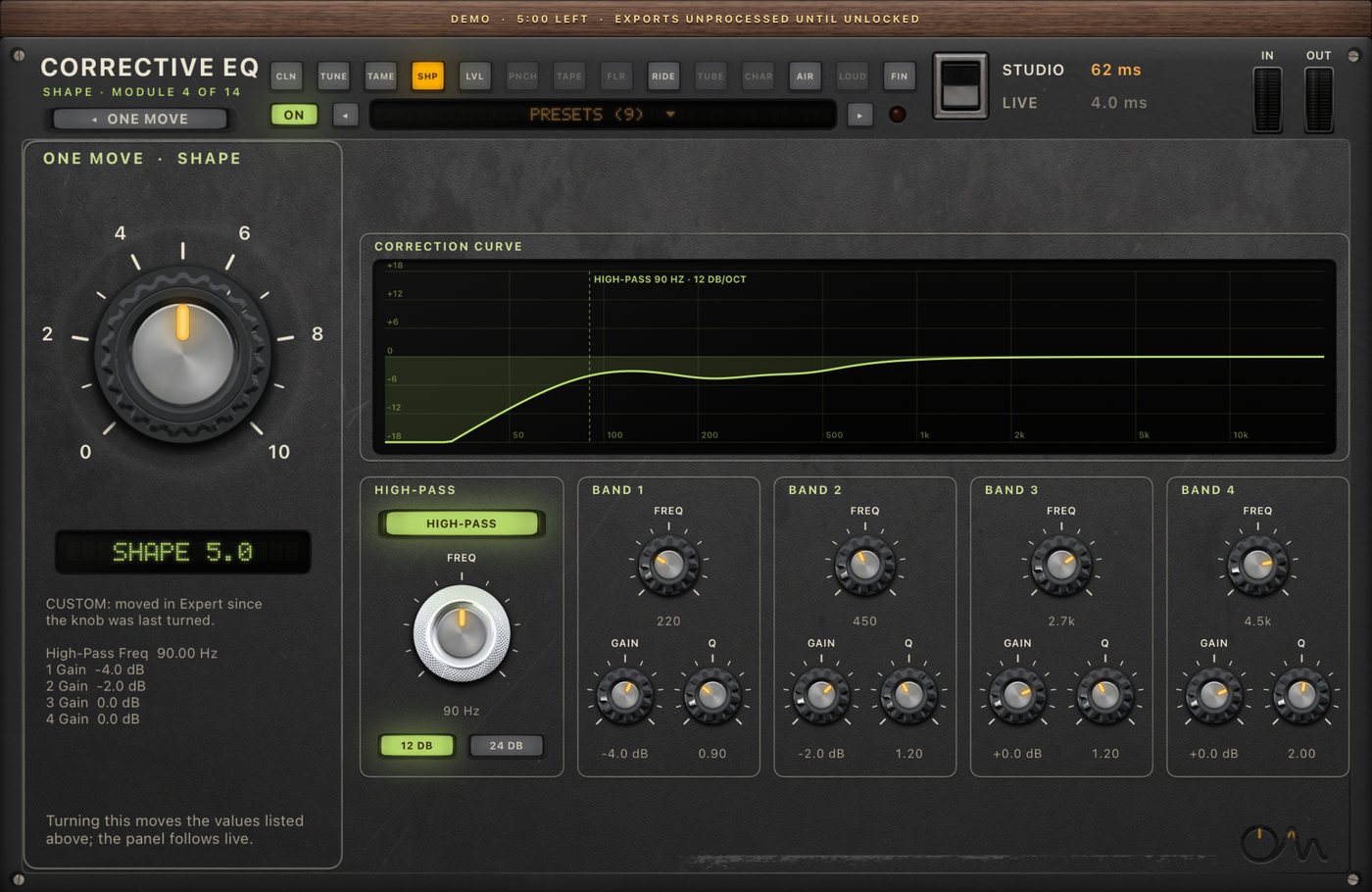
| control | range |
|---|---|
| High-pass on / off | on by default |
| High-pass frequency | 20–400 Hz |
| High-pass slope | 12 or 24 dB per octave |
| Four bands: frequency | 40 Hz – 16 kHz |
| Four bands: gain | −18 to +6 dB |
| Four bands: Q | 0.3–10 |
The panel draws the resulting curve. Editing a band shows CUSTOM under the column, and the knob no longer overwrites your edit.
Specs
| Latency | 0 ms |
| CPU, iPad Air M3, only Shape on | 1.2 % of one core |
| Channels | mono and stereo |
FAQ
Why cut before compressing?
A compressor reacts to everything you feed it. Low rumble and a boomy 250 Hz make it work harder on sound you don't want, which pumps the voice. Removing them first lets the compressors react to the voice itself.
Can Shape boost?
Each band can lift up to +6 dB, but Shape is designed for cuts. For tone after the compressors, use Finish; for brightness that adapts to the voice, use Air.